17th of September, 2026
Local presence dialing automatically selects the best local caller ID for your outbound calls, significantly boosting call answer rates.
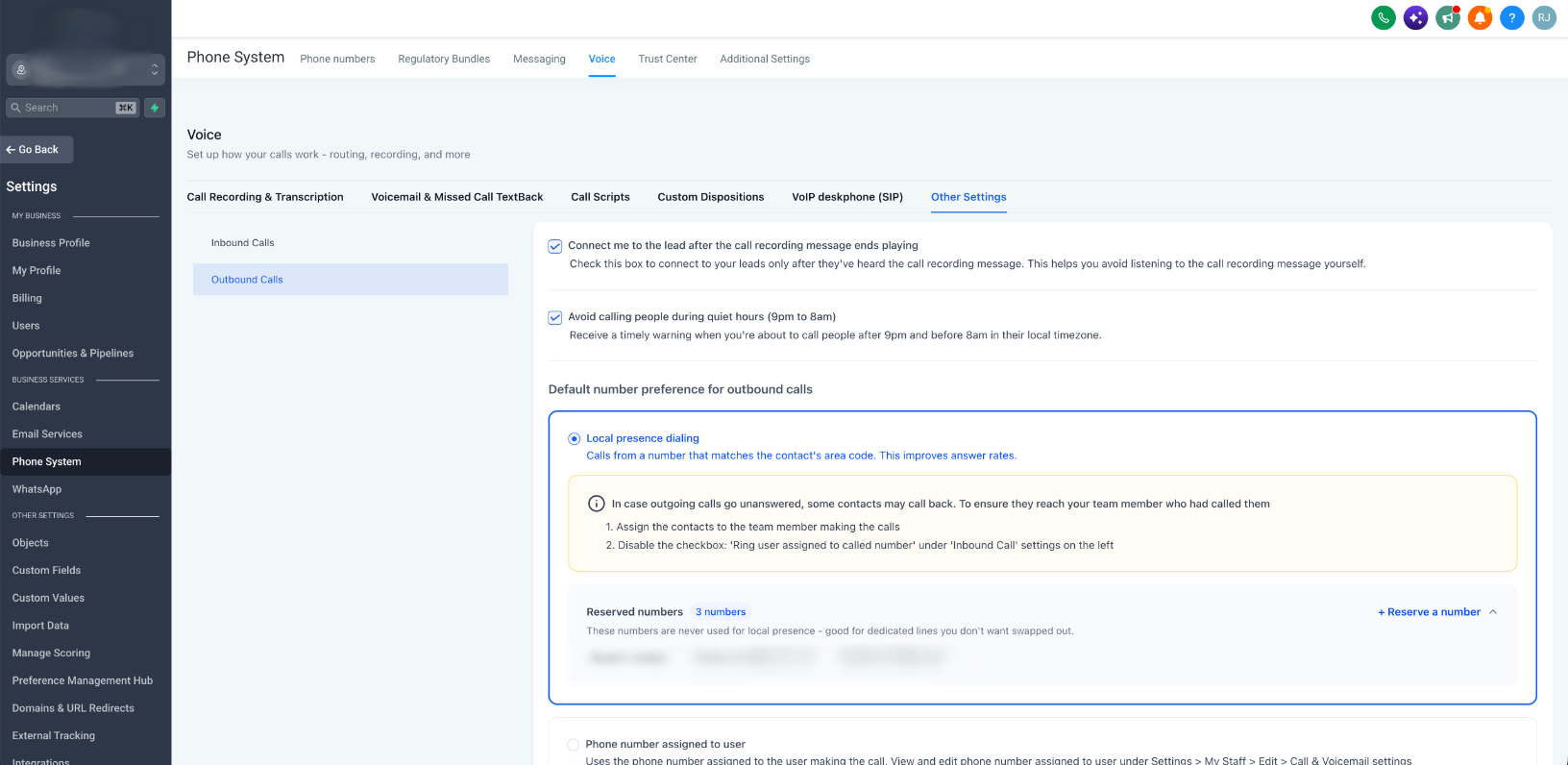
We have rebuilt our local presence engine from the ground up to deliver smarter matching, broader international coverage, and greater administrative control.
What's new
- Expanded country support: Location-based matching is now active across the ??US, ??Canada, ??UK, and ??Australia, using real postal code distance calculations rather than static lookup tables.
- Consistent caller ID: Contacts will now see the exact same number from you on every repeat attempt. This deterministic matching builds caller familiarity and helps maintain strong carrier standing.
- Universal outbound coverage: Local presence now works seamlessly across every dialing path: including the web dialer, mobile app, desk phones.
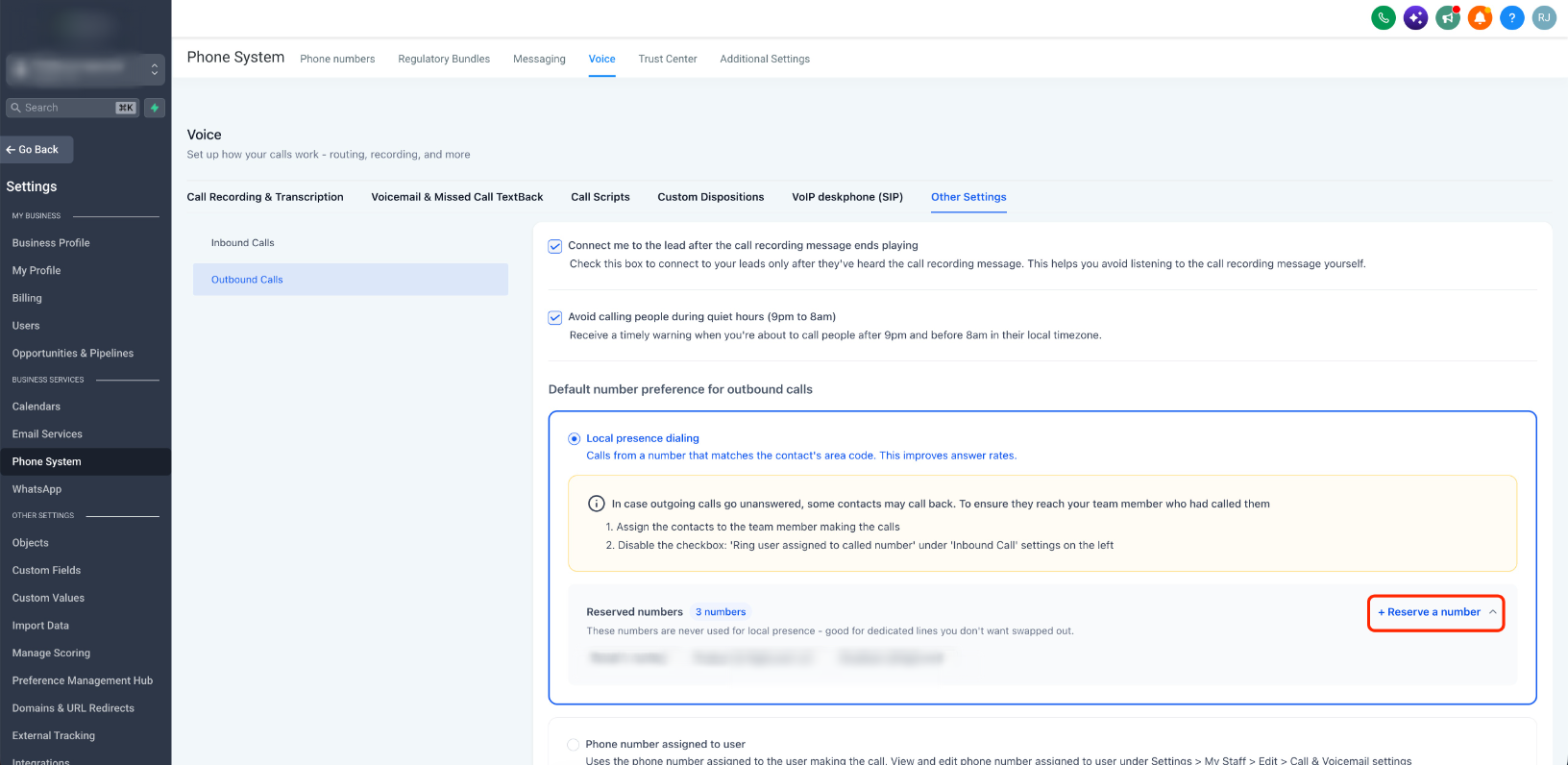
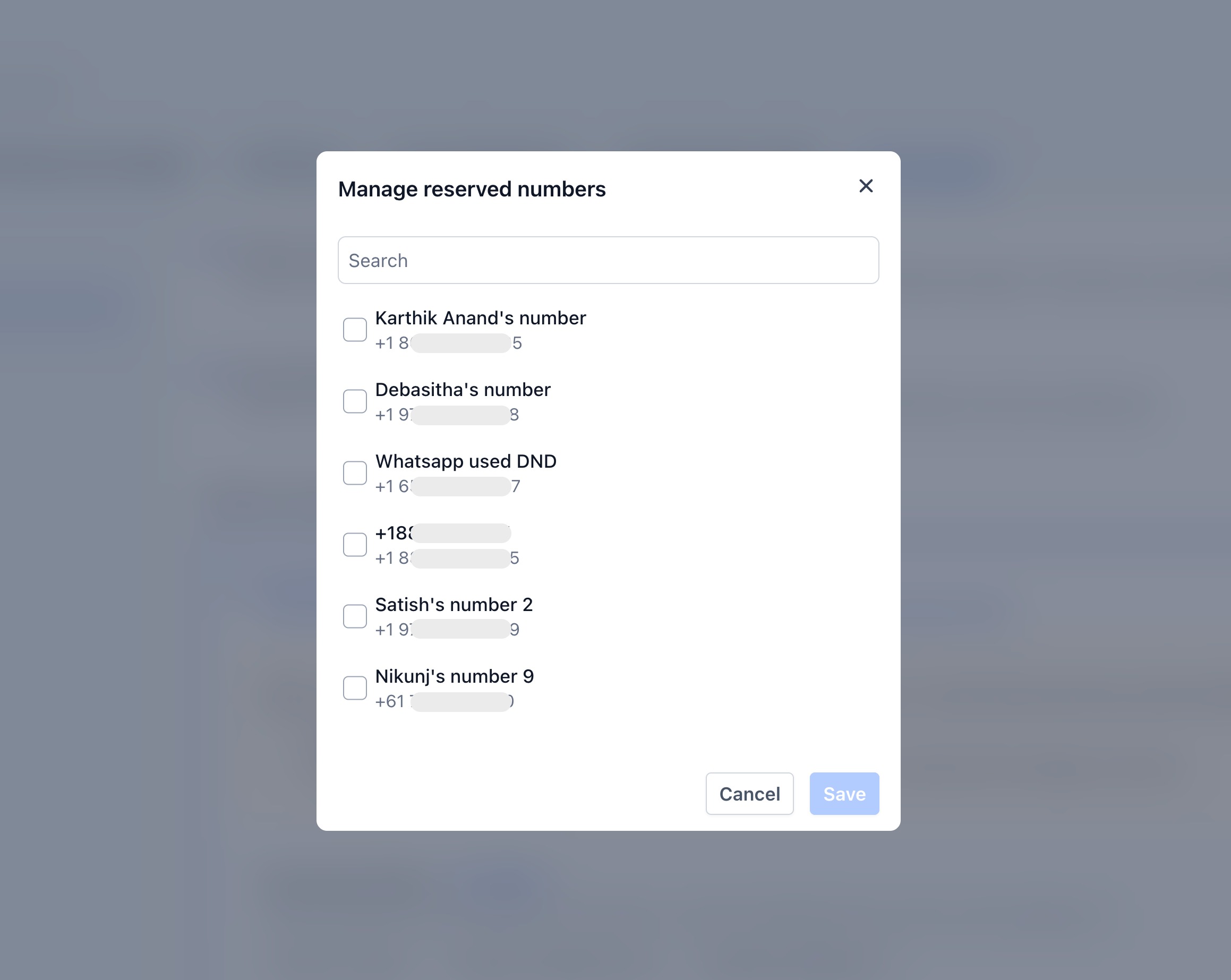
- Reserved numbers: Mark up to 50 numbers per account as reserved to prevent them from being auto-selected, protecting main office lines while keeping them available for manual dialing.
- Smarter matching ladder: Calls cycle through an optimized priority hierarchy to find the best match: lead's zipcode → area code → overlay code → nearest available distance → same region → account default.
- Fail-safe reliability: Outbound calls are never delayed or blocked. If a local match is unavailable or lead data is missing, the system instantly routes the call using your account default.
How to get started
To configure reserved numbers or adjust your settings, navigate to Settings > Phone System > Voice > Other Settings > Outbound calls and scroll to the Local presence dialing section.
Was this article helpful?
That’s Great!
Thank you for your feedback
Sorry! We couldn't be helpful
Thank you for your feedback
Feedback sent
We appreciate your effort and will try to fix the article