This article guides you on how to set up your wallet so you can purchase additional credits or take advantage of our auto top-up feature.
Each month, your account is loaded with a certain amount of credits that come with the plan to which you're currently subscribed. For example, if you've subscribed to our Growth Plan, your account will automatically be loaded with 1,000 credits every month, plus any credits you didn't use from the previous month as they roll over.
Note:
Access to the Wallet depends on your plan. Some plans do not include the Wallet, and an upgrade may be needed to use this feature.
However, there may be some instances where you need to purchase additional credits once or would like to have the option not to purchase credits manually and want an auto top-up to help reload credits for you. This can quickly be done by setting up your wallet. To learn more, watch the video below or continue reading.
Step 1: Access Your Profile
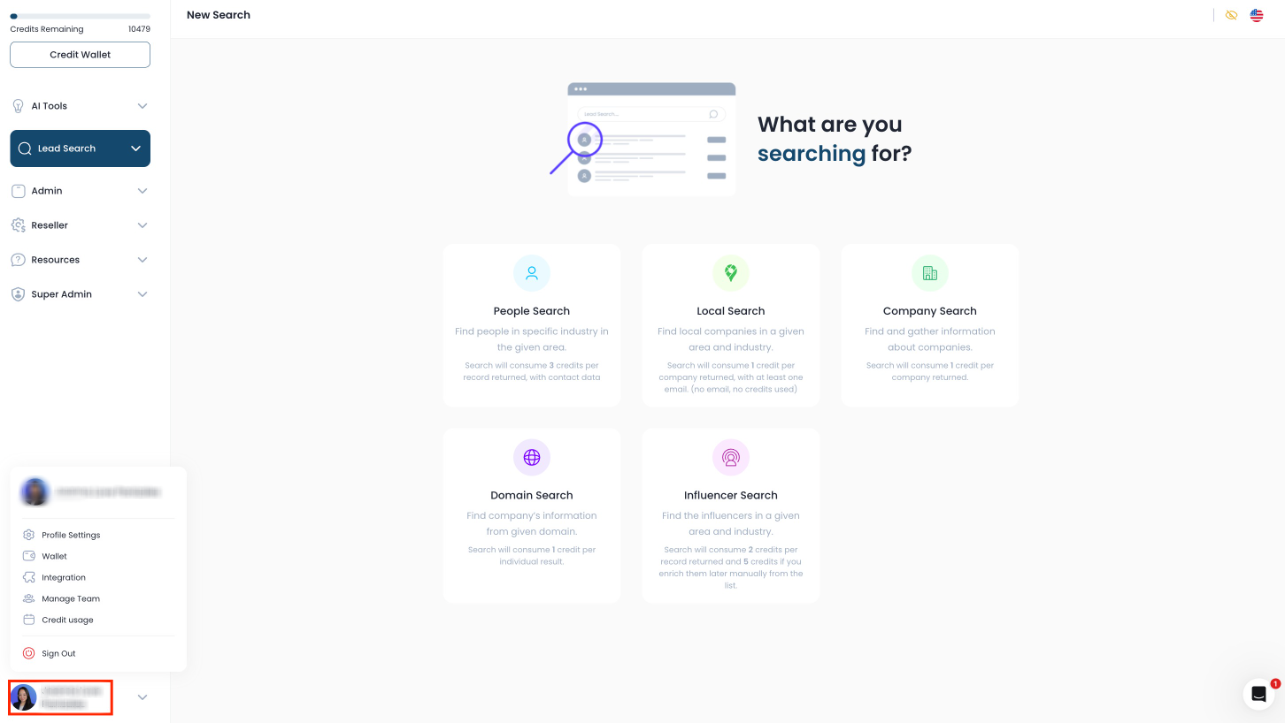
- Navigate to the left-hand navigation bar.
- Scroll down to find your profile, which displays your name or business name.
- Click on your profile.
Step 2: Open Wallet Settings
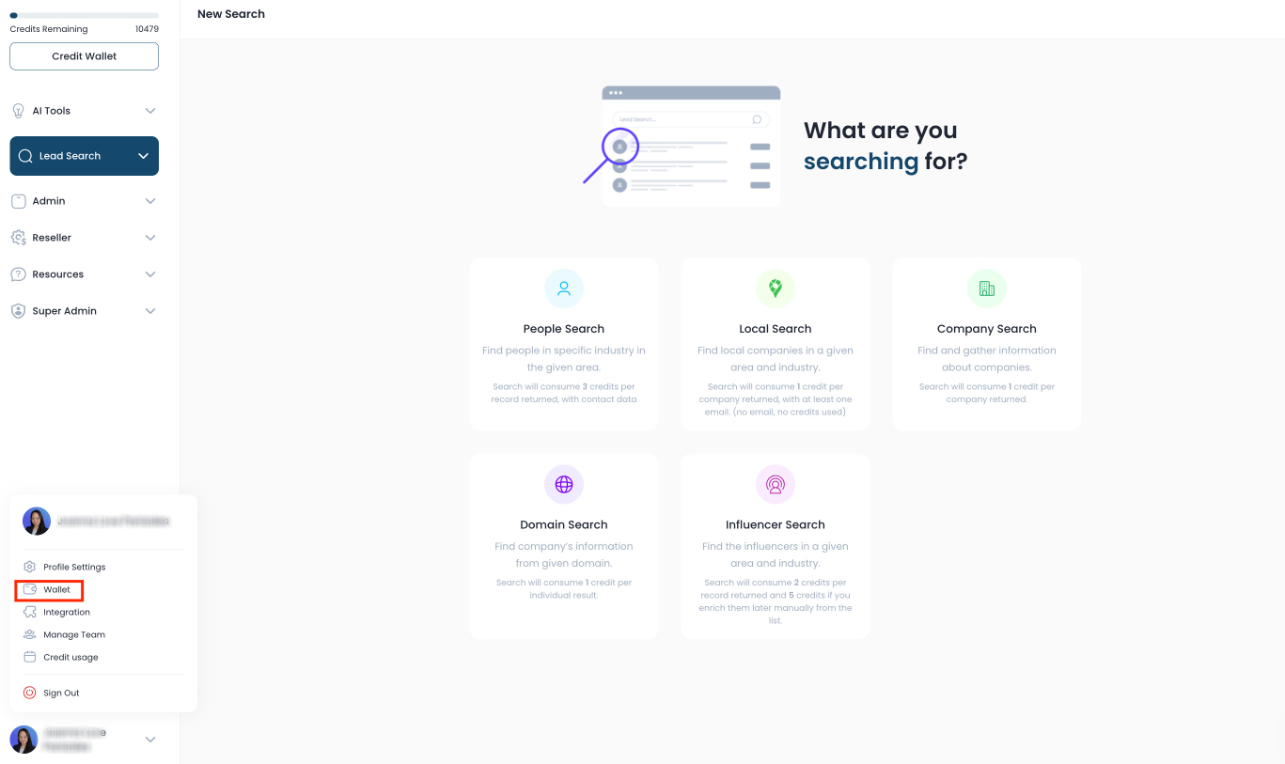
- A pop-up will appear after clicking your profile.
- Look for the option labeled 'wallet' and click on it.
Step 3: Add Payment Method
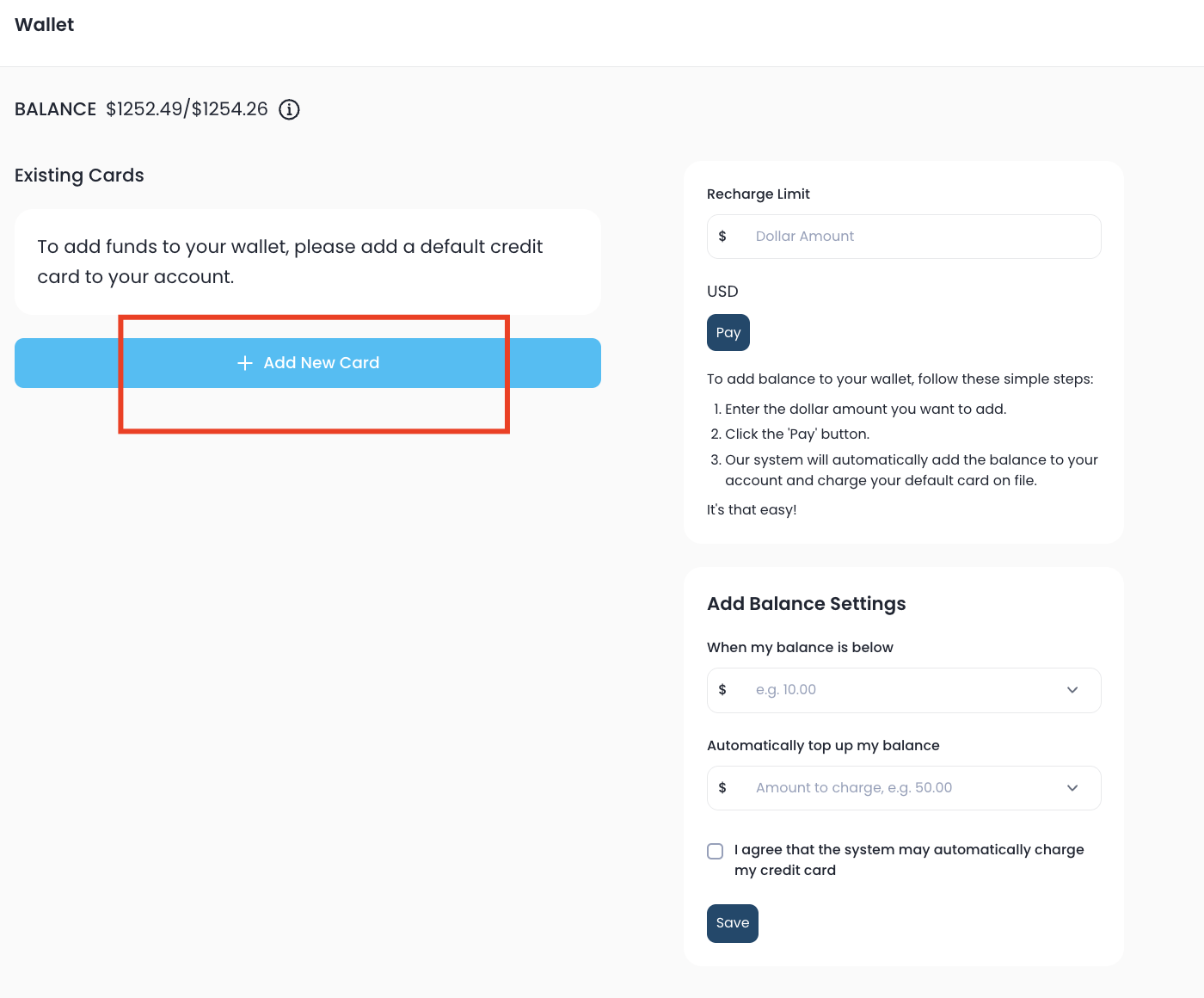
- In the wallet section, enter your preferred method of payment.
- Input your debit or credit card information.
Step 4: Set Up Balance Settings
Specify your balance settings for automatic top-ups.
For example, set it to top up when credits fall below $10.00, increasing to $50.00.
Step 5: Save Your Settings
Agree to the terms and conditions.
Click 'save' to confirm your settings.
Step 6: Manual Recharge Option
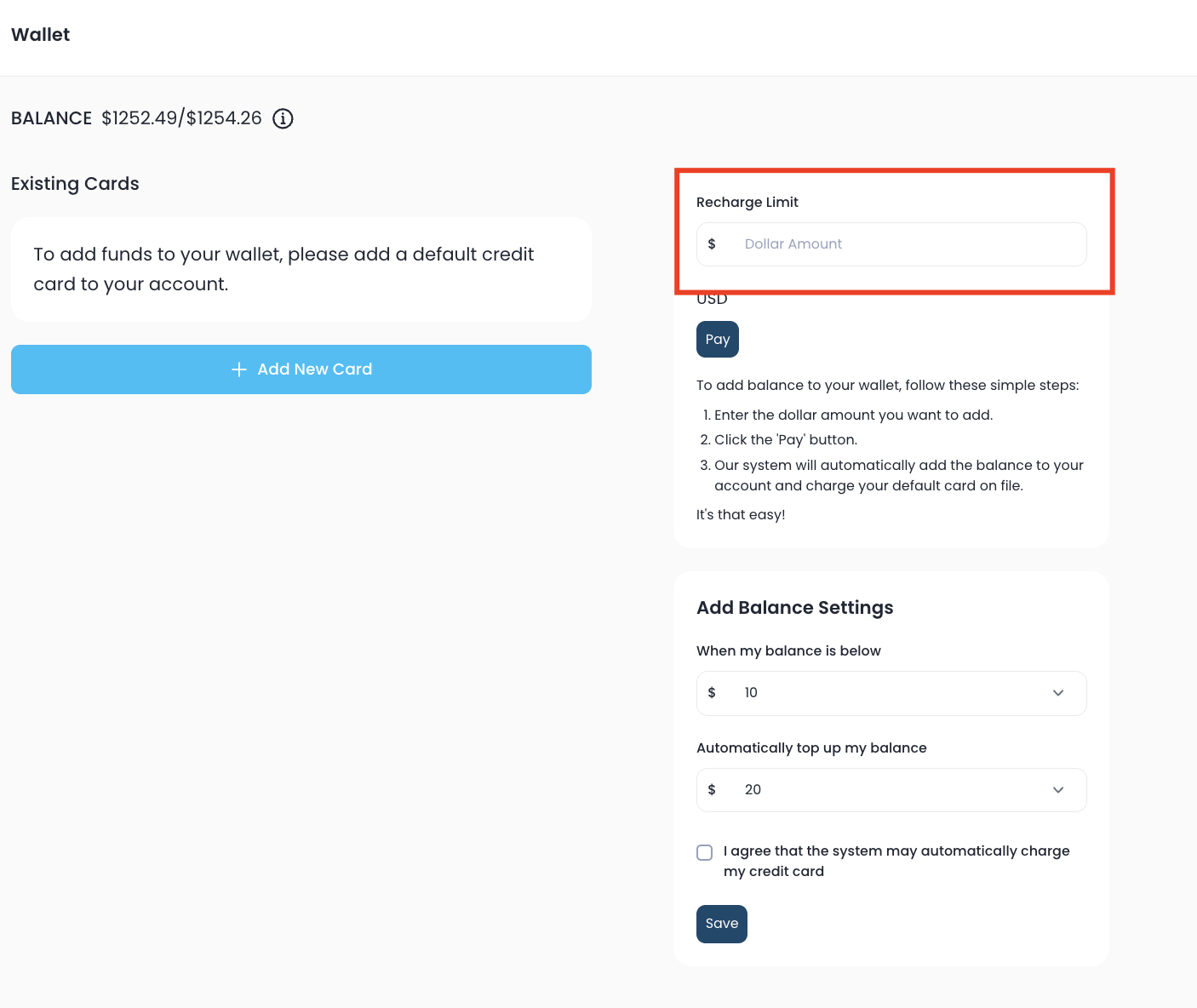
- If you prefer to recharge manually, go to the recharge limit box.
- Enter the amount you wish to add (e.g., $10.00).
- Confirm the charge amount (e.g., $10) and proceed with payment.
Step 7: View Transaction History
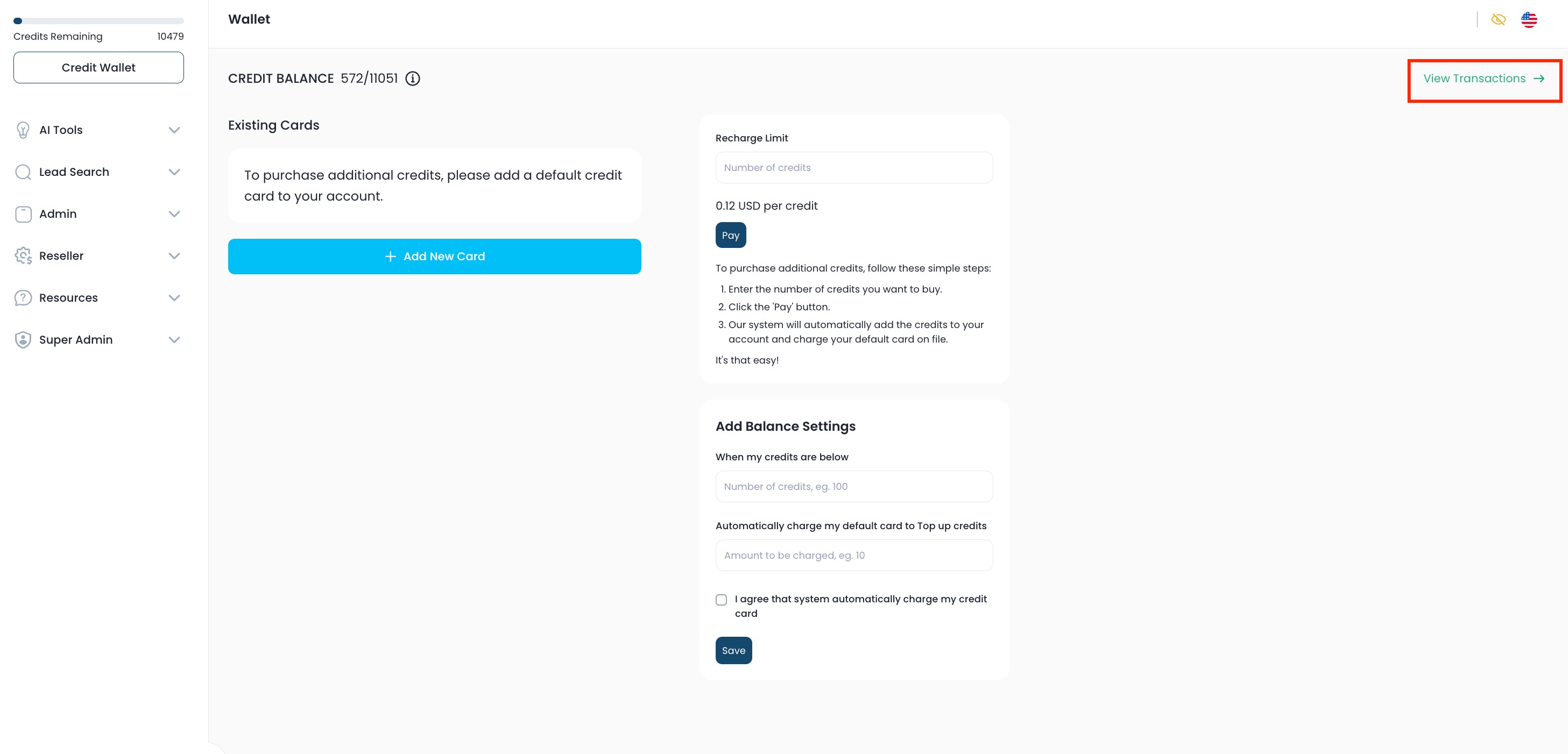
- To review previous transactions, go to the top right-hand side.
- Click on 'view transactions' to access your transaction history.
FAQs
Are the credits used from my monthly allotment first?
Yes, the credits from the specific plan you are subscribed to are used first.
How are credits/dollars spent?
Dollars are spent each time you run a search, and a minimum of one contact is returned with at least an email address. This counts as $0.12 spent. You are not charged a dollar if the contact returns with no email address. It also only counts as $0.12 even if the contact returns with several email addresses.
Do rollover credits/dollars still apply?
Yes, you still have the option to roll over credits/dollars.
Do I have to add a wallet to use the lead generation tool?
No, however, adding a wallet ensures you're never limited in what you can do with the lead generation tool if you run out of your monthly allotment of credits/dollars before the new month starts.
Was this article helpful?
That’s Great!
Thank you for your feedback
Sorry! We couldn't be helpful
Thank you for your feedback
Feedback sent
We appreciate your effort and will try to fix the article