Overview
Events now supports Meta Pixel tracking, giving organizers visibility into how visitors move from discovering an event to completing an RSVP or ticket purchase.
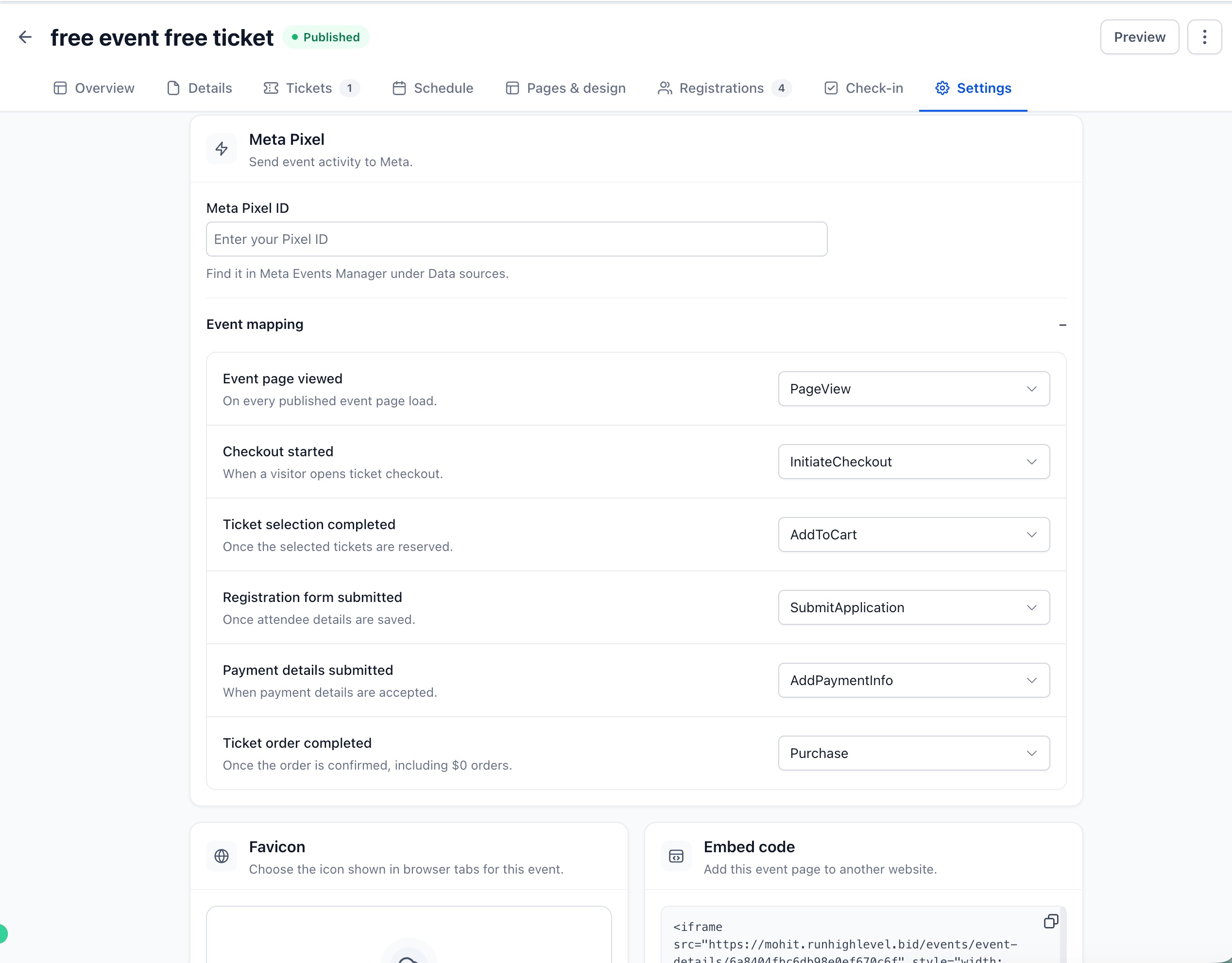
Organizers can add their Meta Pixel directly to an event and map key attendee actions to Meta events — making it easier to measure conversions, understand funnel drop-offs, and optimize event marketing campaigns.
What's New?
Meta Pixel Integration
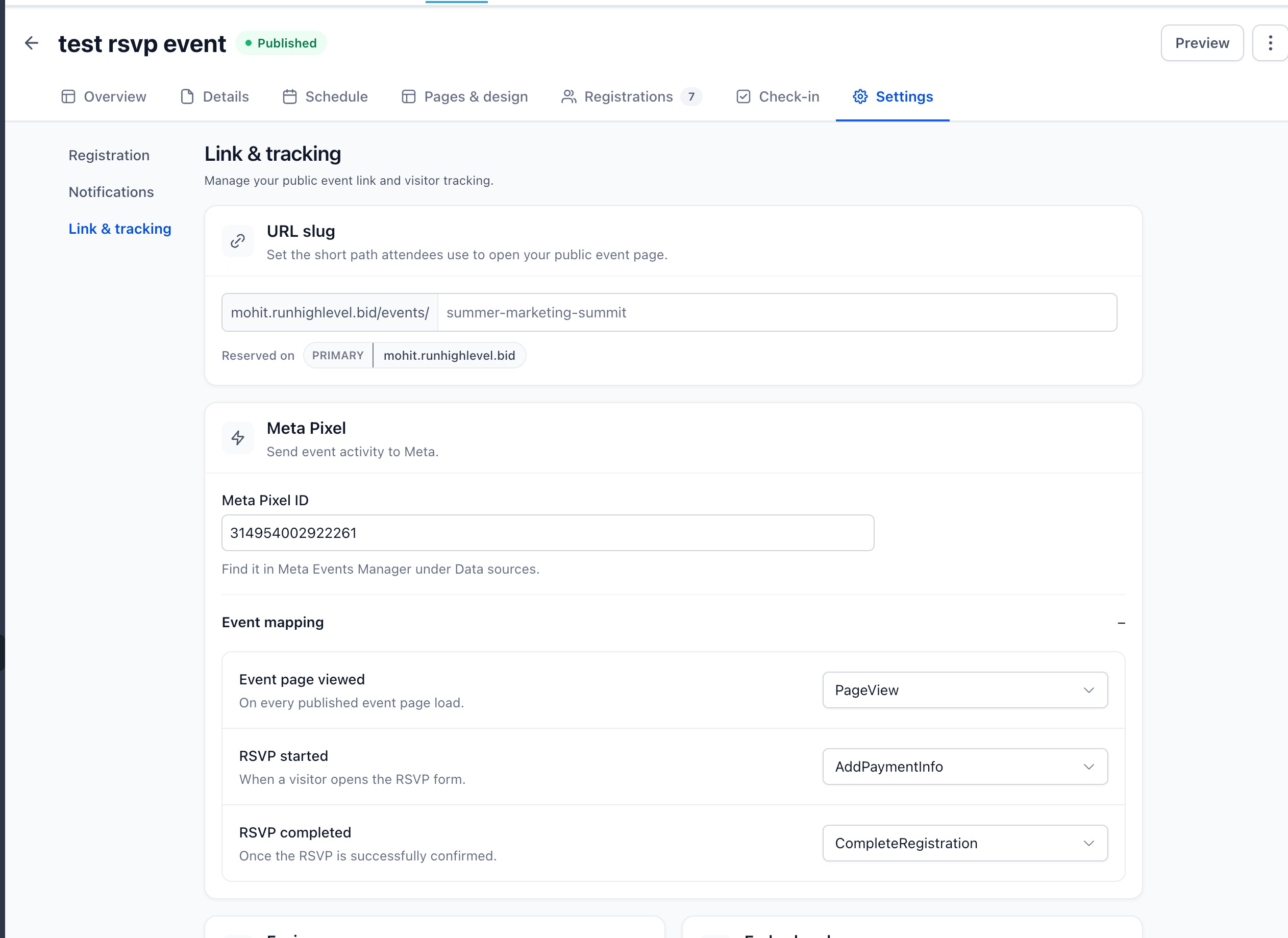
- Add a Meta Pixel ID directly from Event Settings → Link & tracking.
- Choose which Meta event should fire for each supported step of the attendee journey.
- Configure tracking independently for each event.
Tracking for RSVP Events
Track key RSVP conversion points:
- Event page viewed — when a published event page is loaded.
- RSVP started — when a visitor opens the RSVP form.
- RSVP completed — when the RSVP is successfully confirmed.
Tracking for Ticketed Events
Track the complete ticket purchase funnel:
- Event page viewed
- Checkout started
- Ticket selection completed
- Registration form submitted
- Payment details submitted
- Ticket order completed
Completed ticket orders are tracked even for $0 orders, giving organizer a consistent conversion signal across free and paid tickets.
Richer Purchase Data
Completed ticket orders can send additional commerce context to Meta, including:
- Order value
- Currency
- Ticket quantities
- Ticket identifiers
This gives organizer better conversion data for measuring and optimizing campaigns driving ticket sales.
Smarter Conversion Deduplication
We've also added session-based deduplication to prevent the same attendee action from being reported multiple times.
This protects conversion data during scenarios such as:
- Browser back navigation
- Page refreshes
- Payment redirects
- Repeated completion checks
Why This Matters
Until now, organizers could promote their events through Meta, but measuring what happened after someone landed on the event experience was limited.
Meta Pixel support closes that gap.
Organizers can now understand the complete journey from event page visit → registration intent → completed RSVP or ticket order, use those conversion signals to measure campaign performance, and build better audiences for their event marketing.
For ticketed events, the addition of order value, currency, and ticket-level information also makes it possible to measure revenue outcomes — not just registrations.
Available now for Events Beta users under:
Events → Settings → Link & tracking → Meta Pixel
Was this article helpful?
That’s Great!
Thank you for your feedback
Sorry! We couldn't be helpful
Thank you for your feedback
Feedback sent
We appreciate your effort and will try to fix the article