Communities has been rebuilt inside the Unified Client Portal and GoKollab, delivering a faster, more seamless experience for members and admins.
Communities now lives alongside Courses, Dashboard, Billing, Shared Files, Affiliates, and Account Settings within one branded portal—without unnecessary reloads or context switching.
What’s New?
A Unified Communities and Courses Experience
Members can now move smoothly between community discussions and courses without leaving the unified portal.
- Courses open directly within the Learning tab without reloading the legacy application.
- Members resume from the exact lesson where they previously stopped.
- Progress is preserved when switching between courses and discussions.
- Communities, Courses, Dashboard, and Billing now share consistent navigation.
- Faster and smoother page transitions provide a more responsive experience.
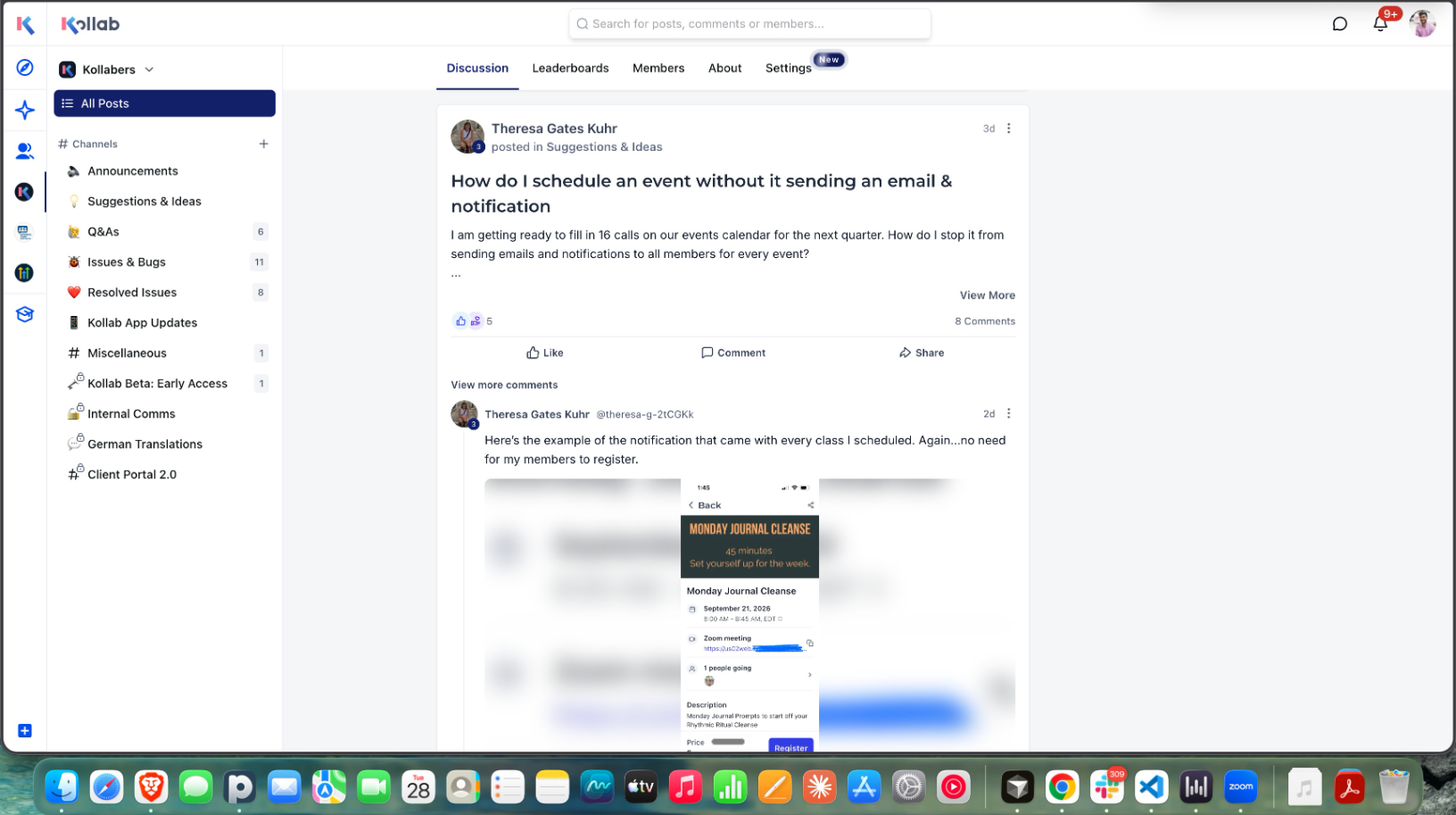
A Reimagined Discussion Experience
The discussion feed has been redesigned to make content easier to discover, read, and engage with.
- Comments, replies, and attachments are displayed directly within the feed.
- Redesigned post and comment editors provide a more intuitive writing experience.
- Members can react to posts and comments using six different reactions.
- Post nudges encourage participation when engagement is low.
- Unified search allows members to search posts, comments, and members from one place.
- User profiles now include a cleaner layout and clickable group details.
- Profile popovers provide a quick member overview without leaving the page.
- A streamlined flow makes creating community events easier.
More Control for Community Admins
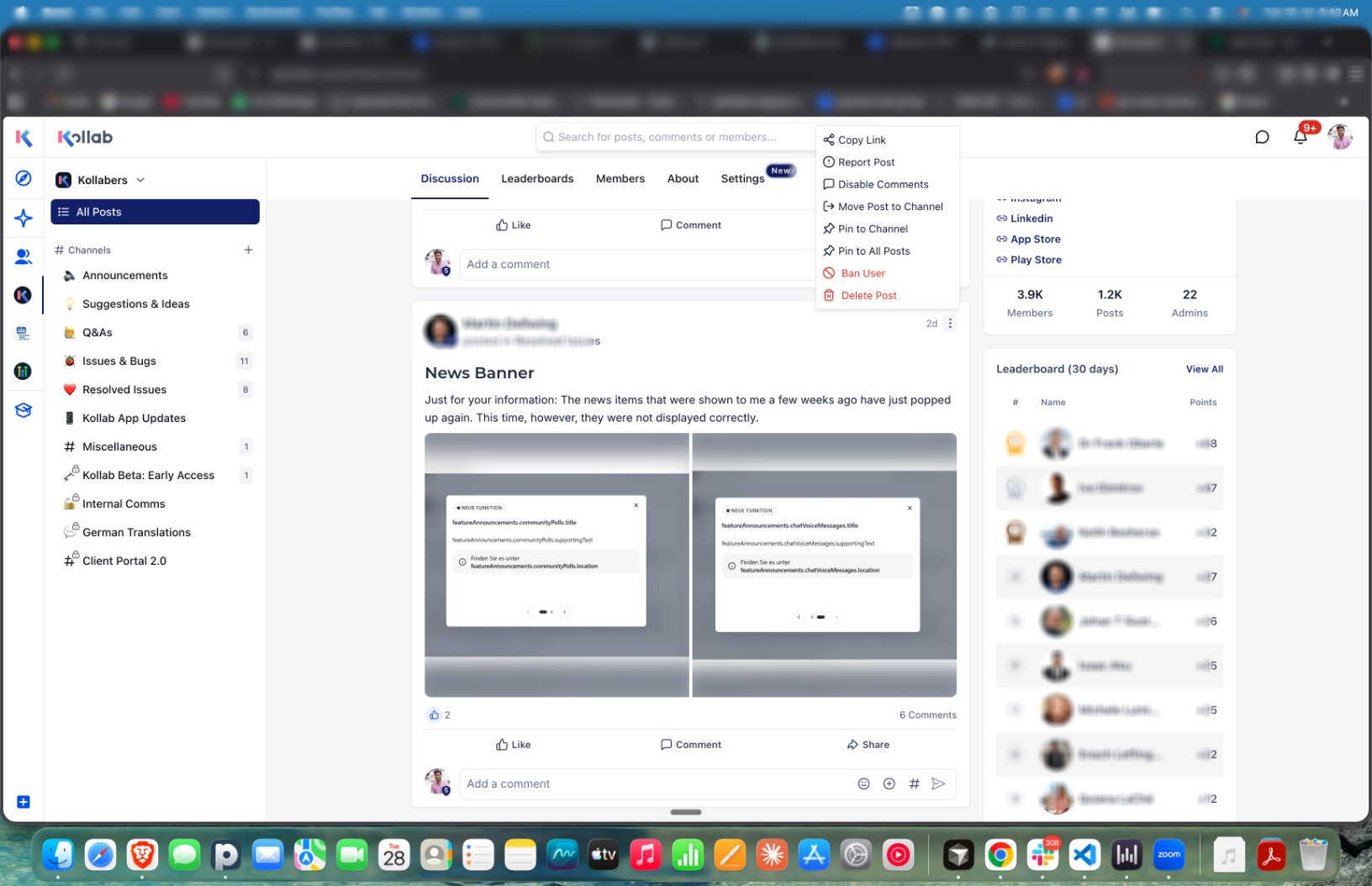
Admins can now manage posts directly from the discussion feed using the enhanced three-dot menu.
Available actions include:
- Pin or unpin posts
- Move posts between channels
- Disable comments
- Ban users
- Download video or audio recordings
- Report or delete posts
- Access additional post-level moderation actions
Improved Community Settings
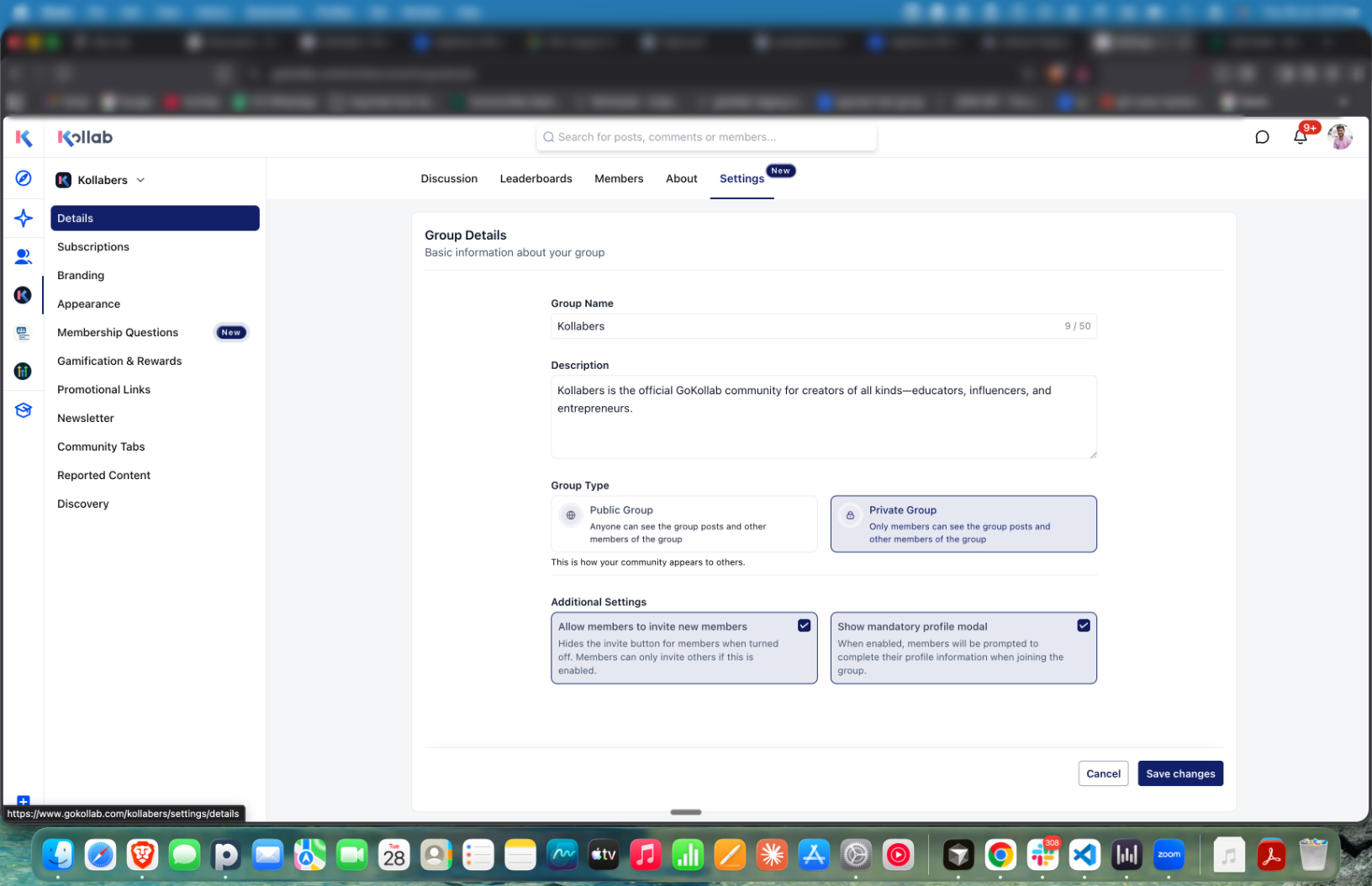
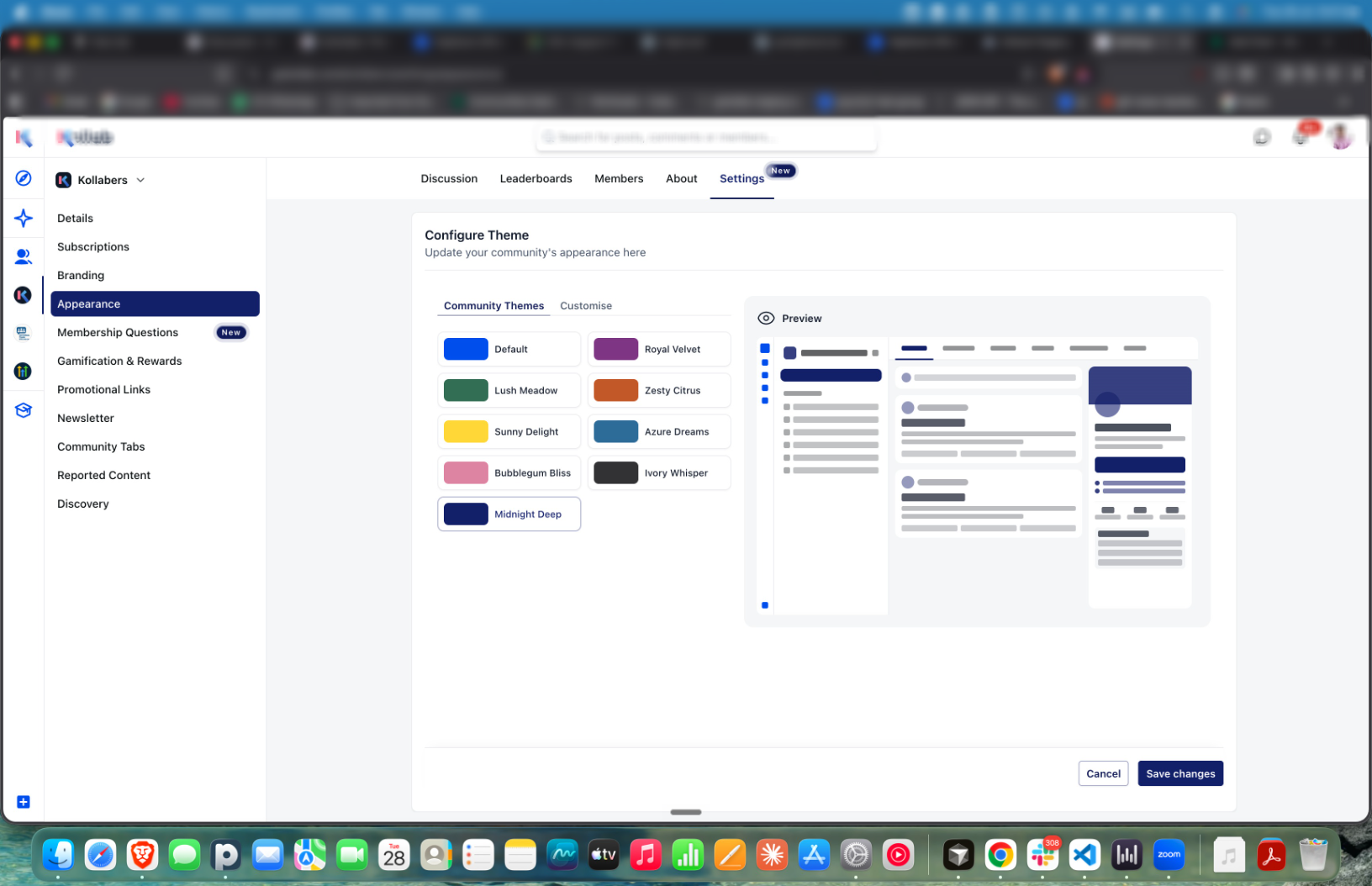
Community settings have been reorganized into dedicated sections, making groups easier to configure and manage.
Admins can now more easily:
- Update community details and descriptions
- Configure public or private group access
- Manage member invitation permissions
- Enable mandatory member profiles
- Configure branding and membership questions
- Select from predefined community themes
- Customize the appearance of the community
How to Enable the New Experience
Navigate to:
App → Client Portal Dashboard
Select
Enable
to activate the new experience.No migration is required. Existing community content, members, courses, and settings will automatically carry over.
Was this article helpful?
That’s Great!
Thank you for your feedback
Sorry! We couldn't be helpful
Thank you for your feedback
Feedback sent
We appreciate your effort and will try to fix the article