Overview
Improved SEO subscription management with a more guided cancellation experience and added better visibility into subscription changes.
This update replaces the old one-click unsubscribe flow with a more structured process under Manage Subscription, giving users more control over what happens before and after cancellation.
What’s improved
Cancellation now happens through a guided Manage Subscription flow instead of a single unsubscribe action.
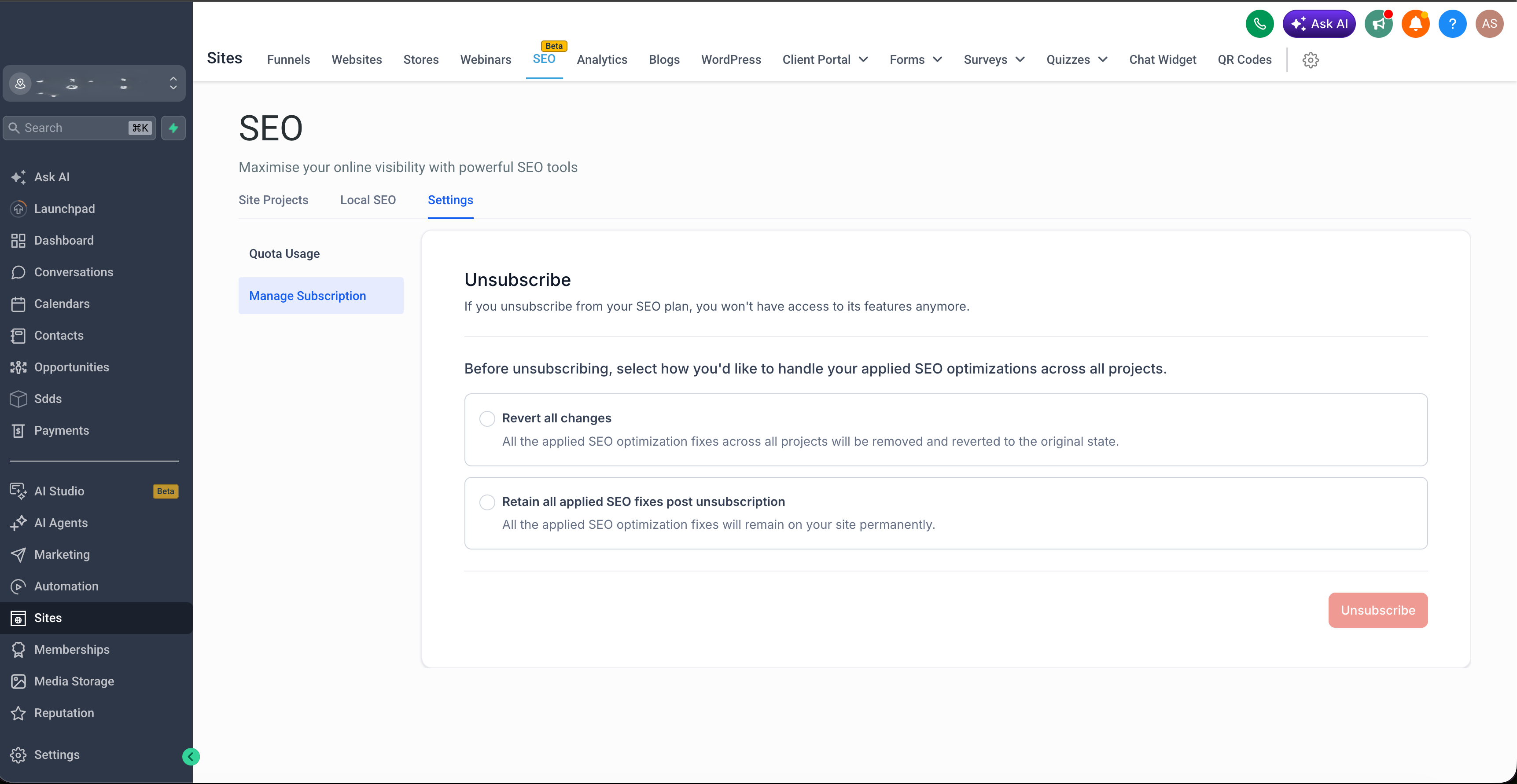
Before cancelling, users can choose whether to keep their SEO fixes or revert them.
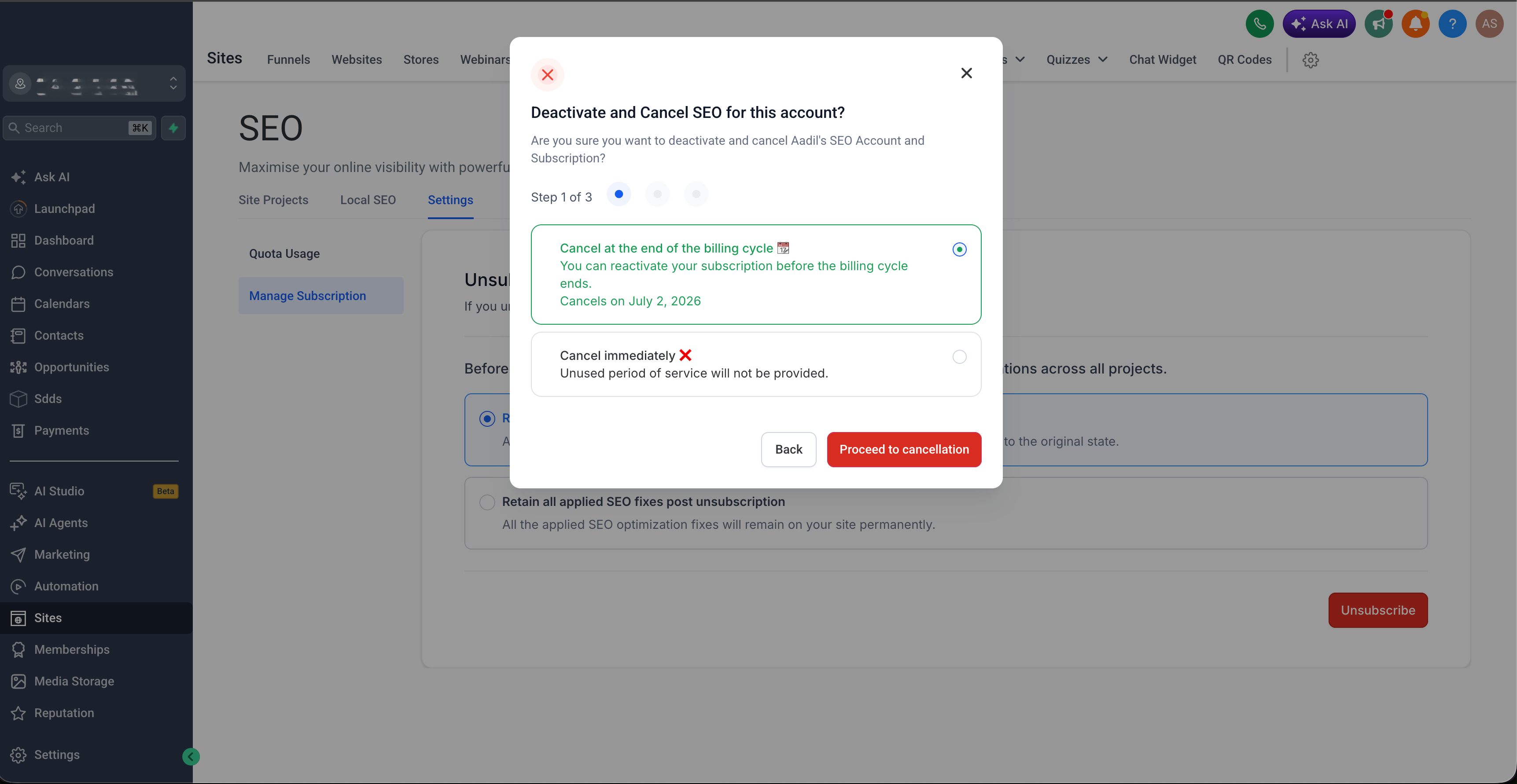
Users can now choose to cancel immediately or schedule cancellation for the end of the current billing cycle.
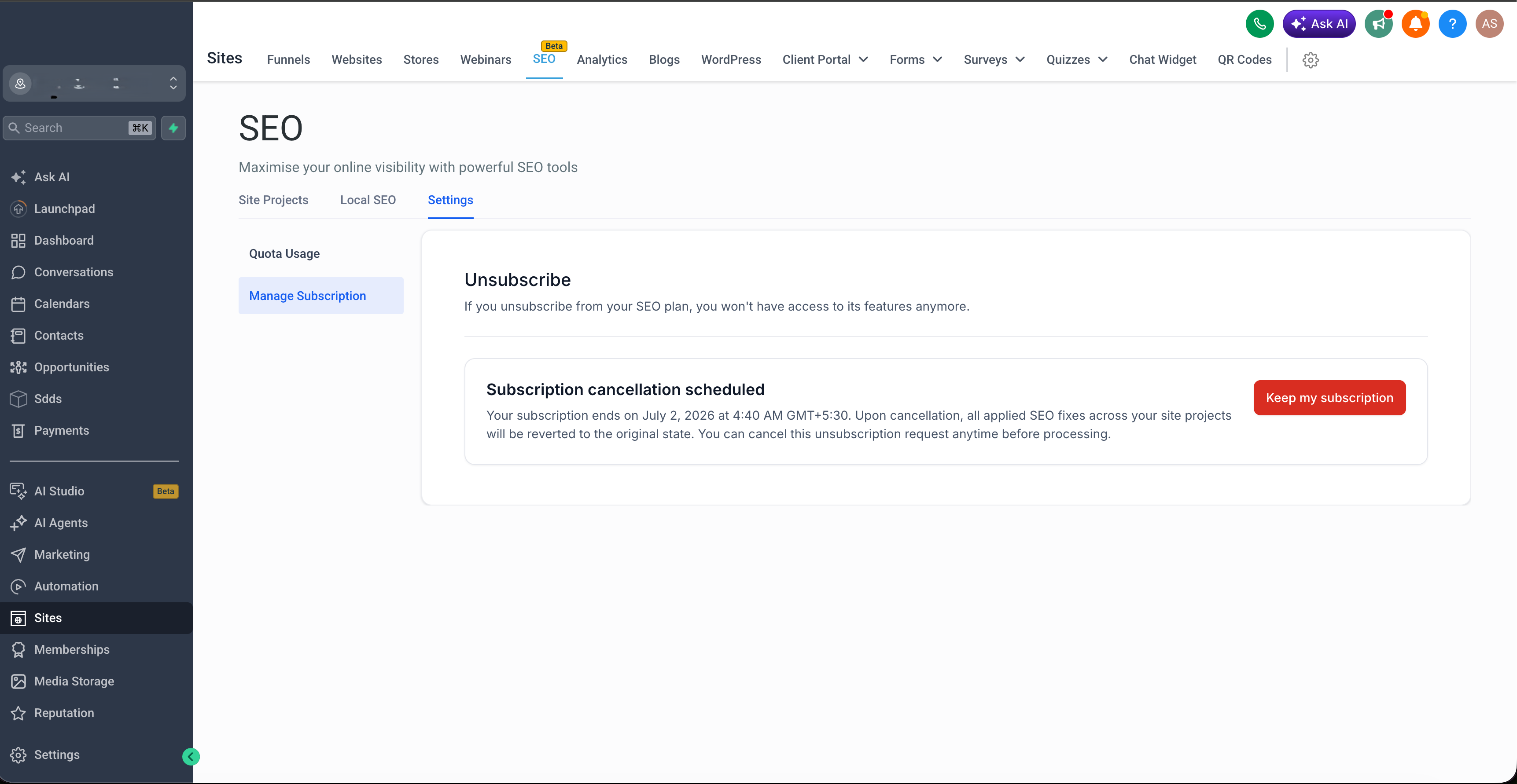
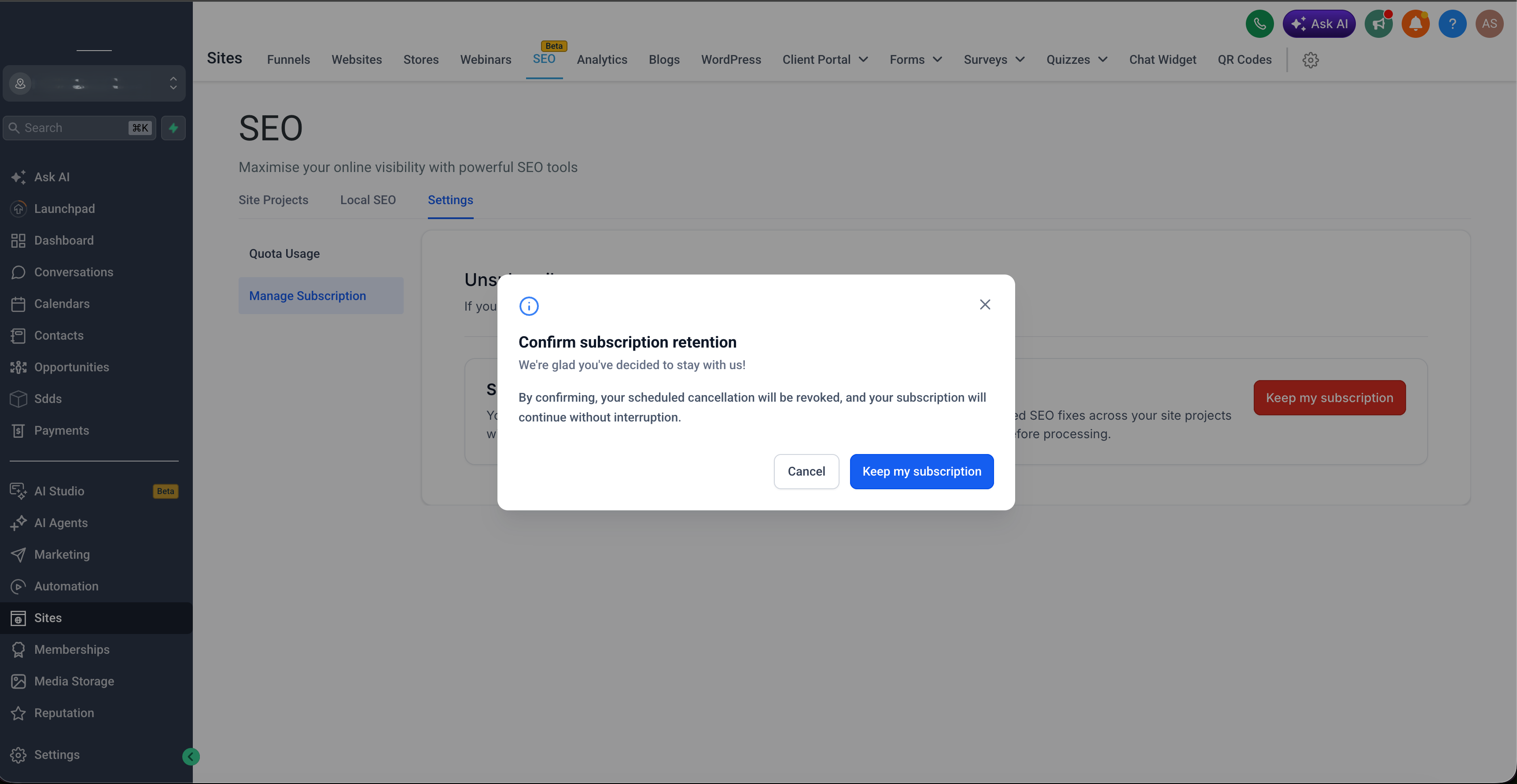
Scheduled cancellations can now be revoked directly in the app using Keep my subscription.
Subscription changes are now tracked more clearly behind the scenes for better visibility and consistency.
How to access
Go to SEO.
Open Settings.
Click Manage Subscription.
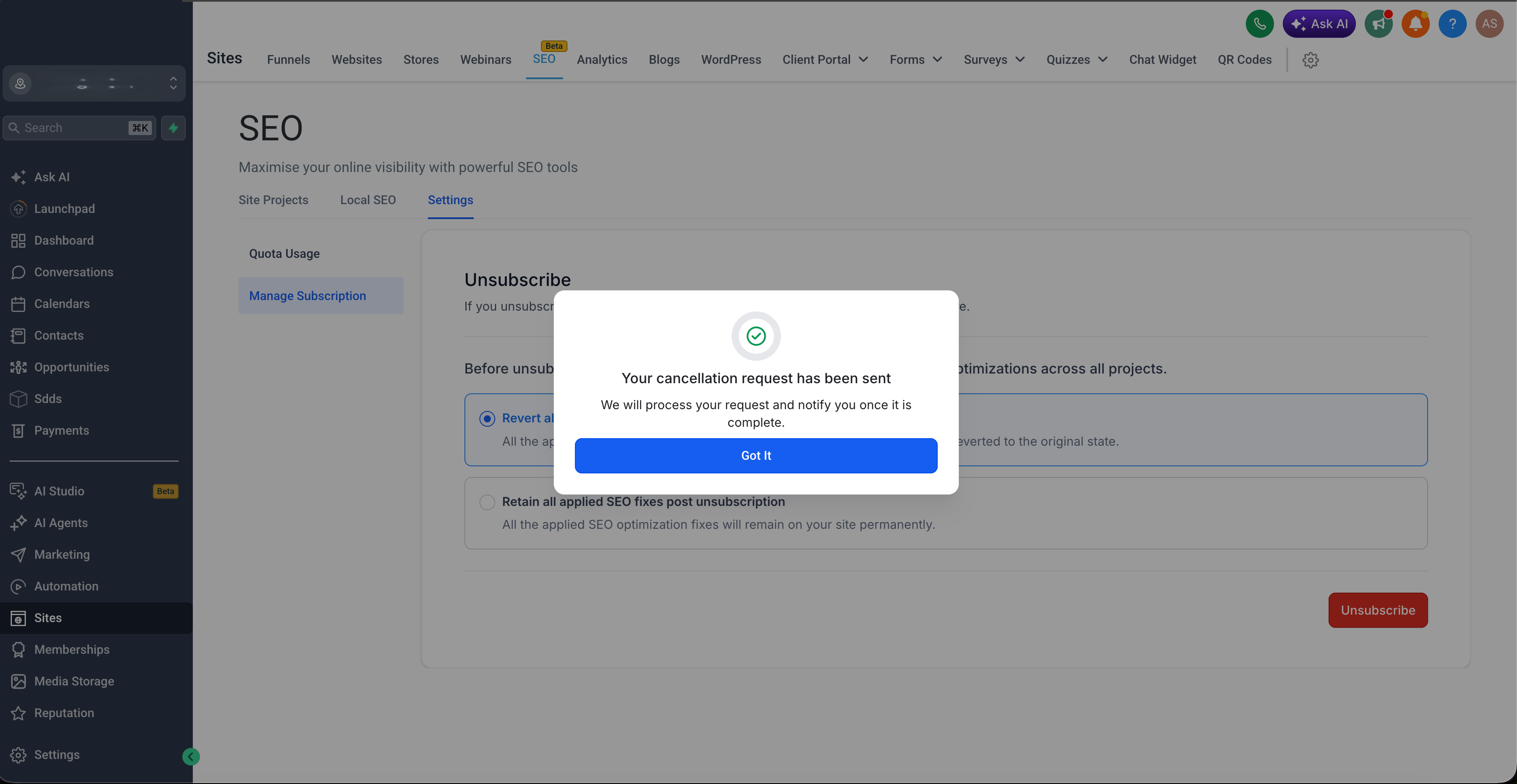
Follow the cancellation flow to keep or discard fixes, then cancel immediately or schedule cancellation.
Why it matters
Gives users more control over what happens to their SEO work before cancelling.
Makes the cancellation flow clearer and more predictable.
Lets users reverse a scheduled cancellation without contacting support.
Creates a more consistent subscription experience across the platform.
Was this article helpful?
That’s Great!
Thank you for your feedback
Sorry! We couldn't be helpful
Thank you for your feedback
Feedback sent
We appreciate your effort and will try to fix the article