Learn how to access and use the AI Assistant in the Leads Tool. The AI Assistant helps you manage prompts, use built-in templates, and create custom prompts for your workflow.
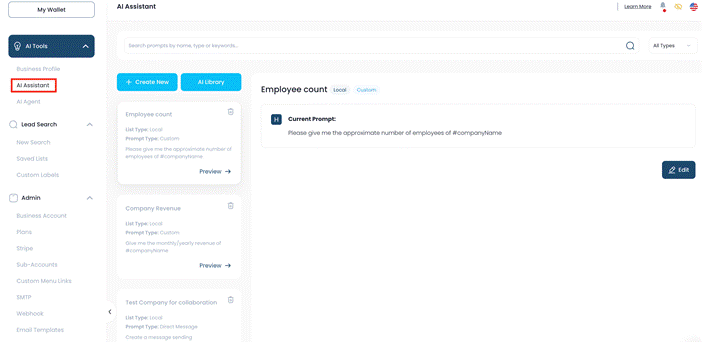
Step 1: Open the AI Assistant
- Navigate to the left sidebar menu.
- Under AI Tools, click AI Assistant.
This section is where all your prompts are stored and managed.
Step 2: Explore Pre-Built Prompts
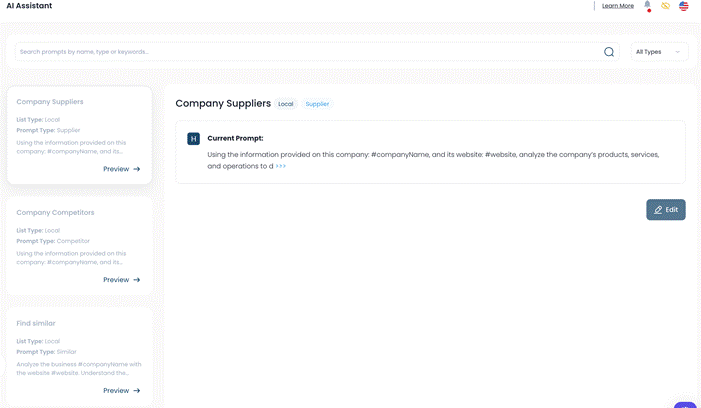
Once inside the AI Assistant, you will see several ready-made prompts already available.
Examples include:
- Company Suppliers
- Company Competitors
- Find Similar
Each prompt includes:
- List Type
- Prompt Type
These templates can help speed up your workflow without creating prompts from scratch.
Step 3: Preview a Prompt
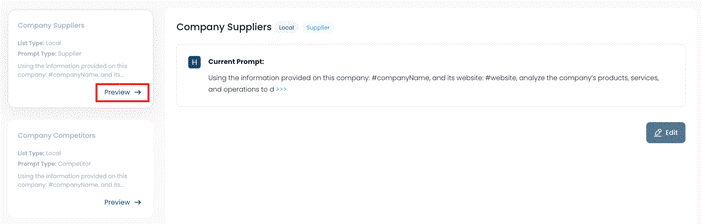
- Find the prompt you want to review.
- Click Preview.
The Preview option allows you to:
- View the prompt content
- Understand how it works
- Review the prompt before using it
Step 4: Search for Prompts
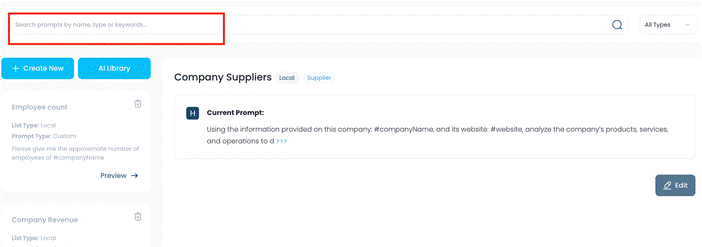
- Locate the Search Bar at the top of the page.
- Enter a prompt name or keyword.
Use this feature to quickly find specific prompts, especially when managing a larger collection.
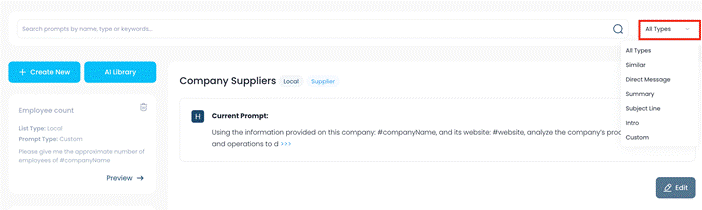
Step 5: Filter Prompts by Type
- Click the All Types dropdown menu.
- Select a category to filter results.
Available prompt types may include:
- Direct Message
- Summary
- Subject Line
- Intro
- Custom
Filtering helps narrow down prompts based on your use case.
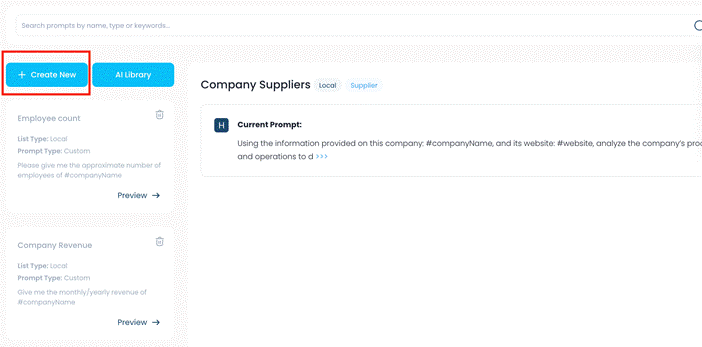
Step 6: Create a New Prompt
To build your own prompt:
- Click Create New.
- Enter the details for your custom prompt.
- Save your changes.
This allows you to create personalized prompts tailored to your workflow.
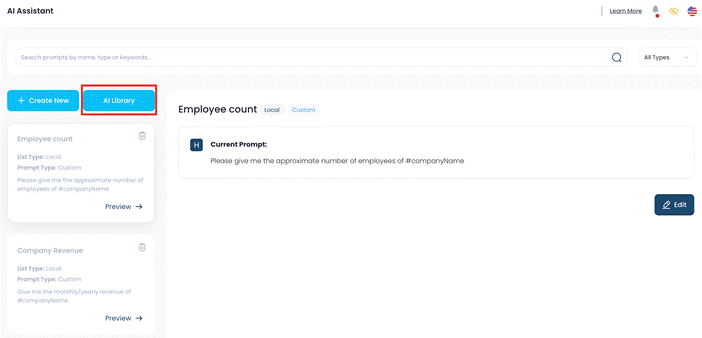
Step 7: Browse the AI Library
If you prefer ready-made templates:
- Open the AI Library.
- Browse available prompt options.
- Select and use prompts that fit your needs.
The AI Library provides additional templates you can use without creating them manually.
Quick Overview
Feature | Description |
Pre-built Prompts | Ready-made prompt templates for common tasks |
Preview | View prompt content before using it |
Search Bar | Find prompts using names or keywords |
All Types Filter | Filter prompts by category |
Create New | Build custom prompts |
AI Library | Browse additional ready-made prompts |
The AI Assistant helps simplify workflows by giving you quick access to templates, search tools, and customizable prompts in one place.
Was this article helpful?
That’s Great!
Thank you for your feedback
Sorry! We couldn't be helpful
Thank you for your feedback
Feedback sent
We appreciate your effort and will try to fix the article