Overview
We’re excited to announce that
Rental Listings & Categories are now supported in Snapshots
?This makes it easier for accounts and businesses to replicate Rentals setups across multiple accounts — helping streamline onboarding across locations.
You can now quickly duplicate rental configurations without manually recreating listings and categories each time.
What’s New?
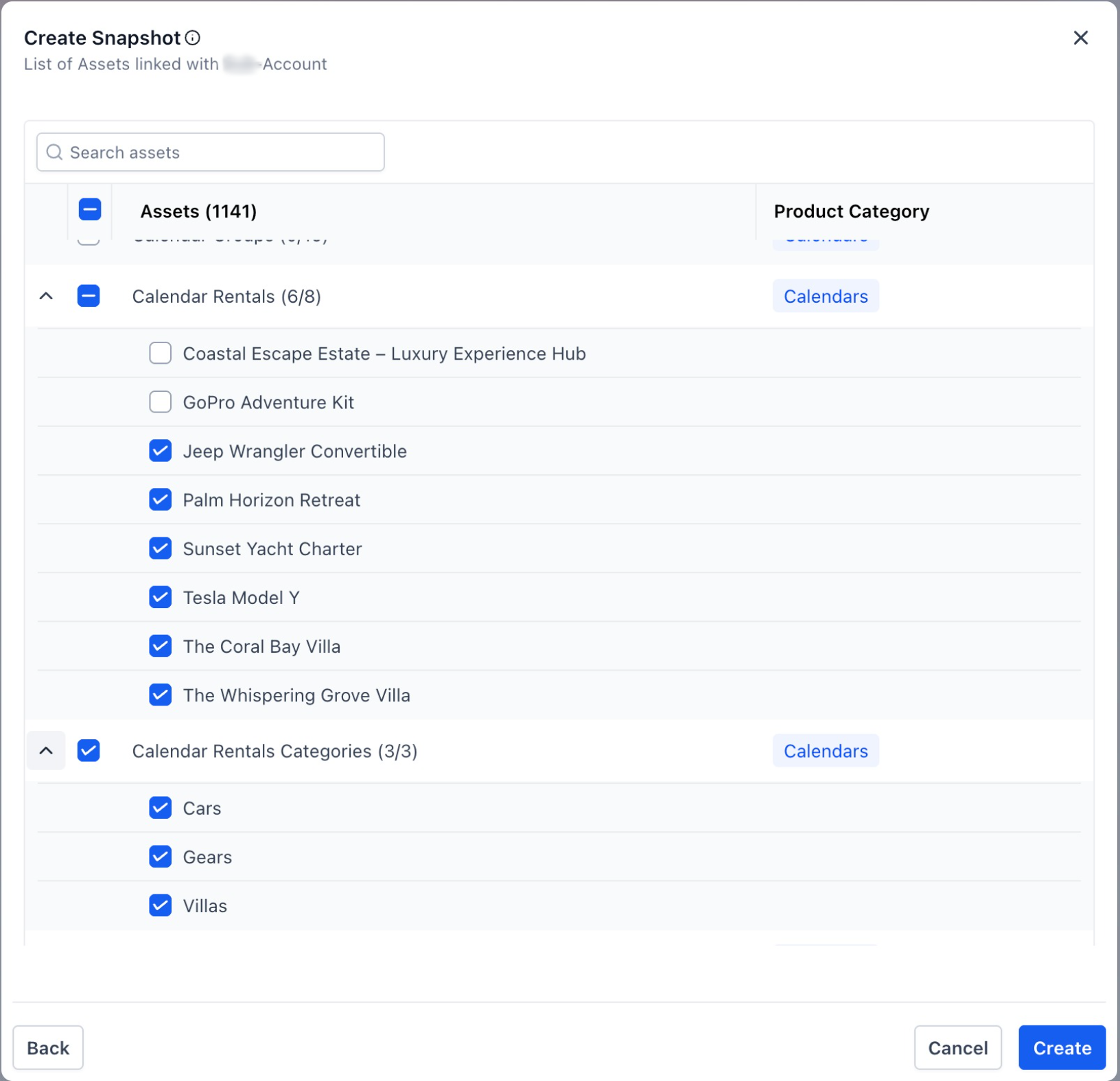
You can now include the following assets while creating or loading a Snapshot:
- Rental Listings– Copy configured rental listings across locations
- Rental Categories– Replicate listing grouping and organization structure
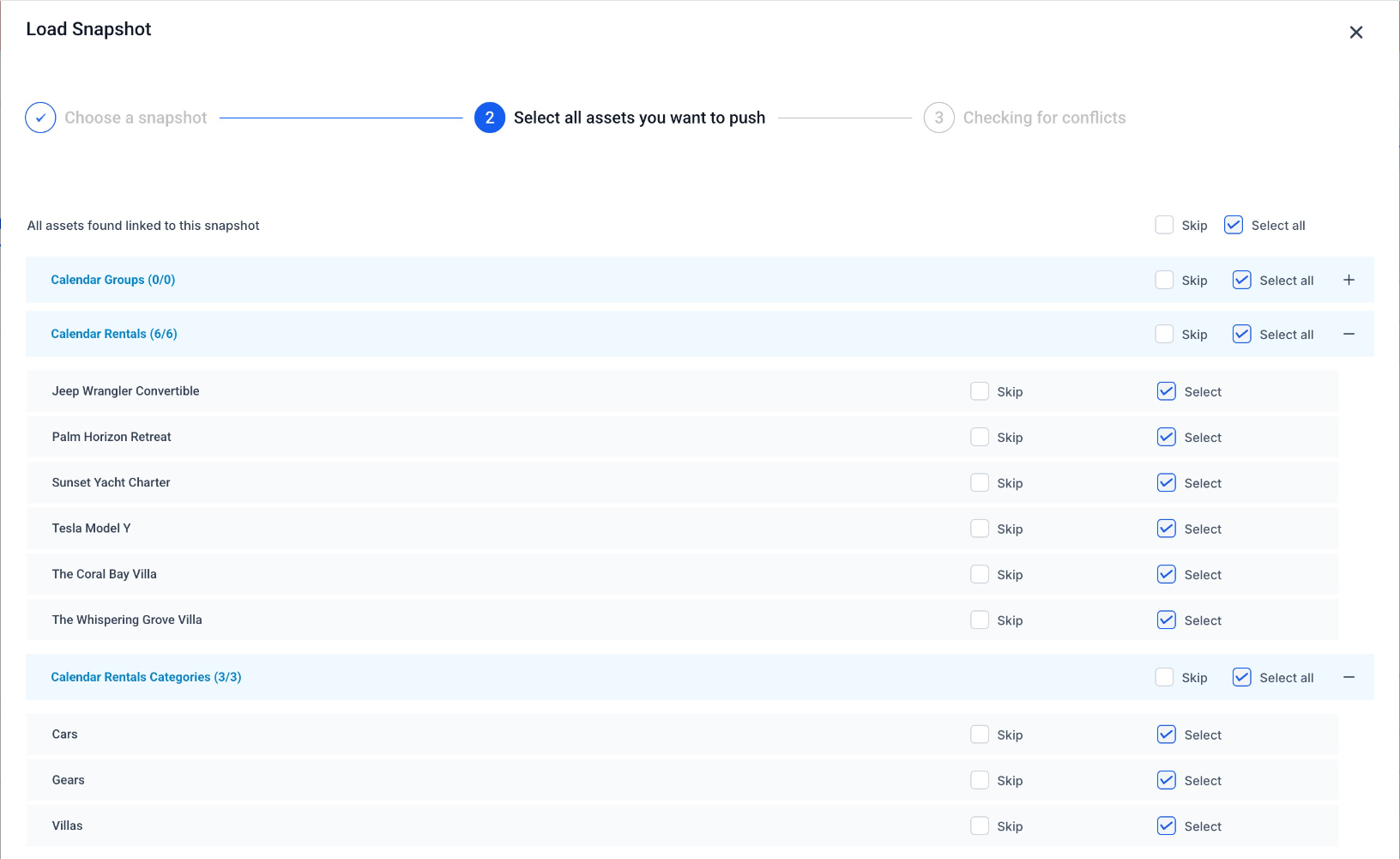
These assets can be selected independently while creating or restoring Snapshots, giving you full flexibility over what gets copied.
How It Works
- Navigate to Account View → Account Snapshots
- Create a Snapshot from the source account
- SelectRental Listingsand/orRental Categories
- Savethe Snapshot
- Loadthe Snapshot into another location
The selected Rentals assets will automatically be added to the destination account.
Why This Matters
- Speeds up onboarding for accounts and multi-location businesses
- Eliminates repetitive setup work for Rentals
- Makes it easier to distribute pre-configured rental templates at scale
Was this article helpful?
That’s Great!
Thank you for your feedback
Sorry! We couldn't be helpful
Thank you for your feedback
Feedback sent
We appreciate your effort and will try to fix the article