This is a step-by-step tutorial on how to set up the GA4 to record Pageviews into Google Analytics for Funnels/Websites. In this article, we will walk you through setting up your funnel/website to record page views into GA4.
Step 1: Log into Google Analytics
Step 2: Go to Admin Settings
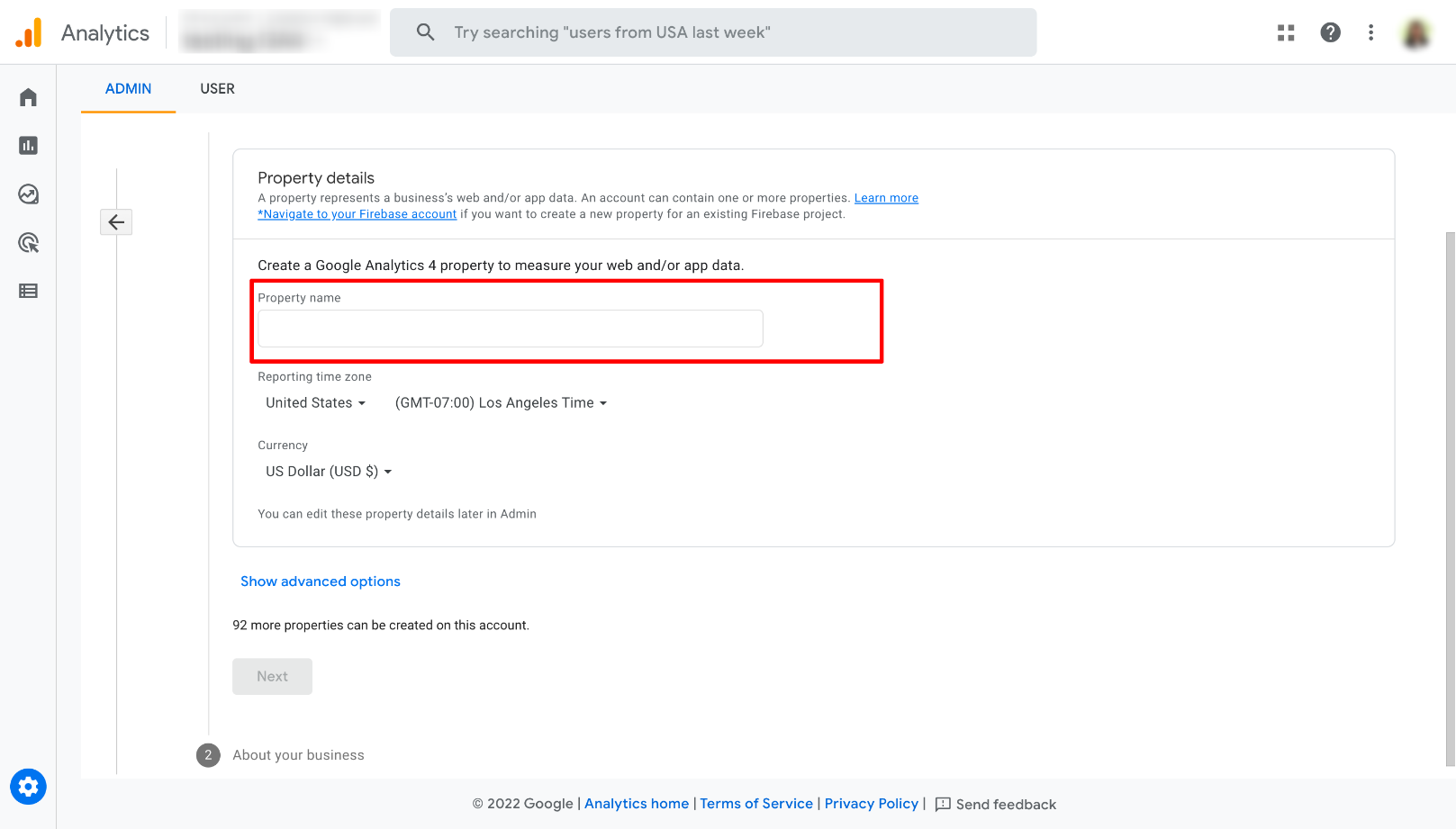
Step 3: Click on the Create Property and add the name of the property
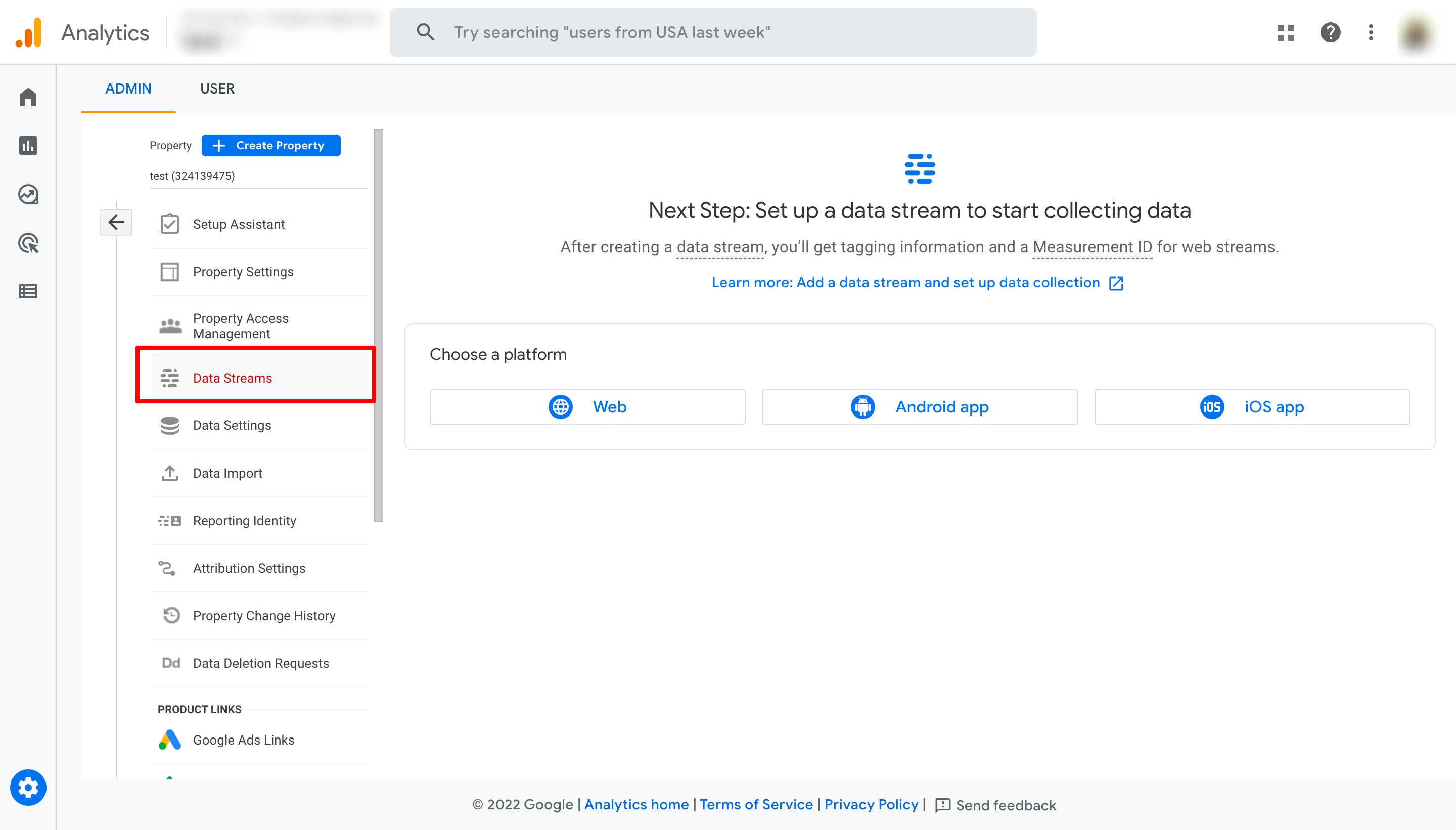
Step 4: Go to Data Stream located within the left menu
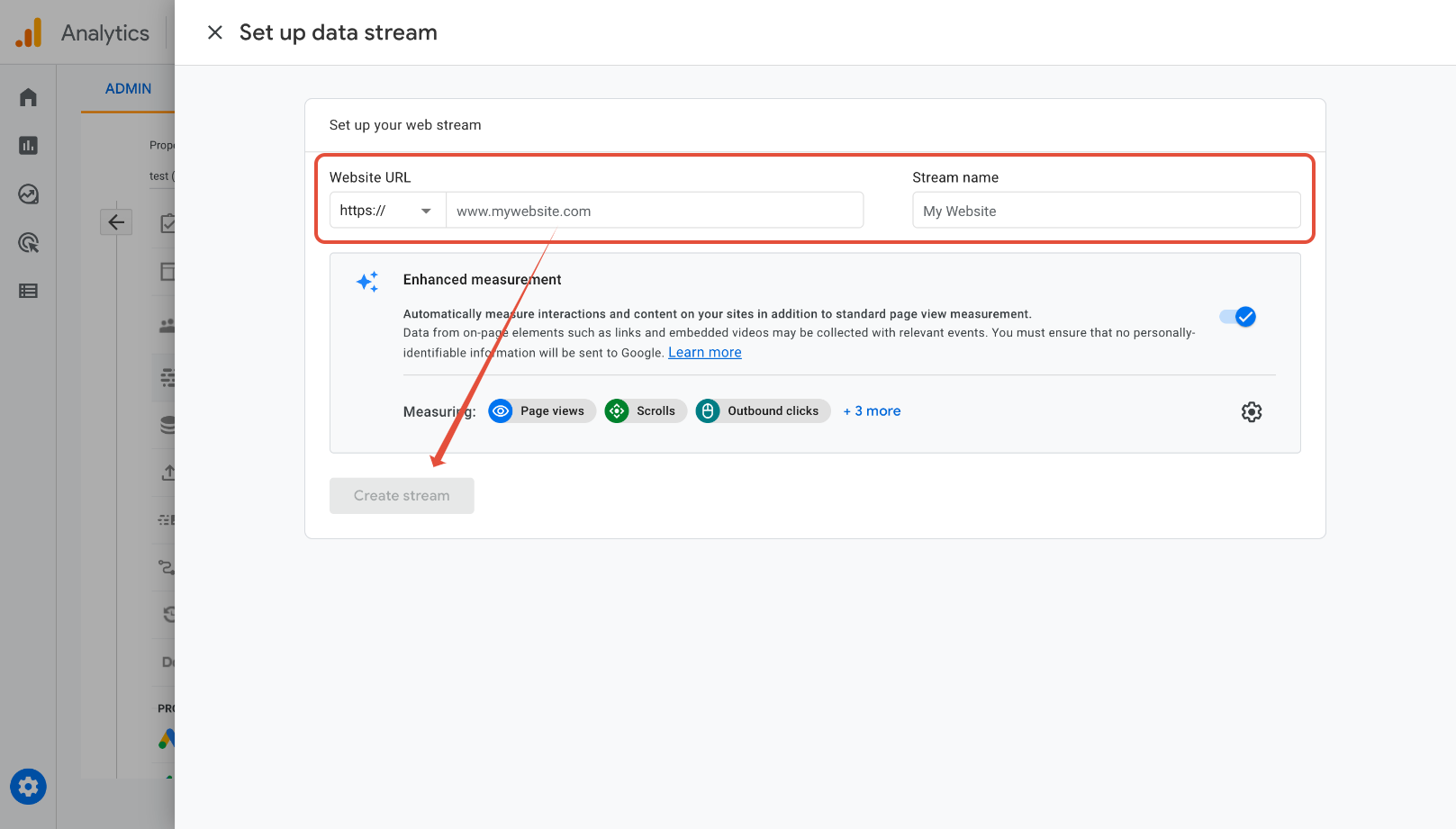
Step 5: Choose the Web option and add the URL of the funnel/website which you would like to track.
Once you have added the stream URL and named your stream, please proceed to click on the "Create Stream" button
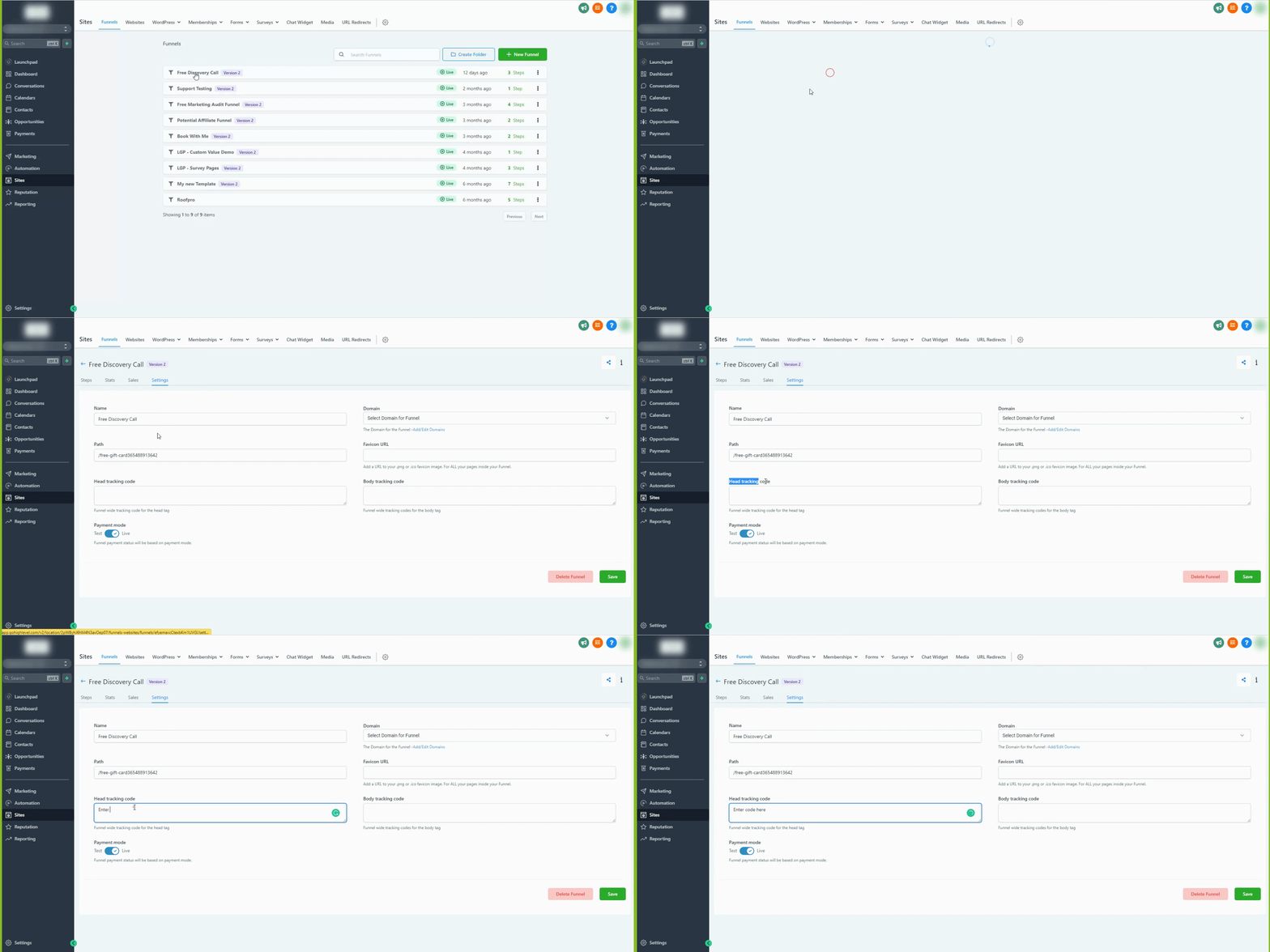
Step 6: Add the script (gtag.js) provided inside Google to the Funnel/Website tracking code OR follow the instructions of the Google Tag manager given below.
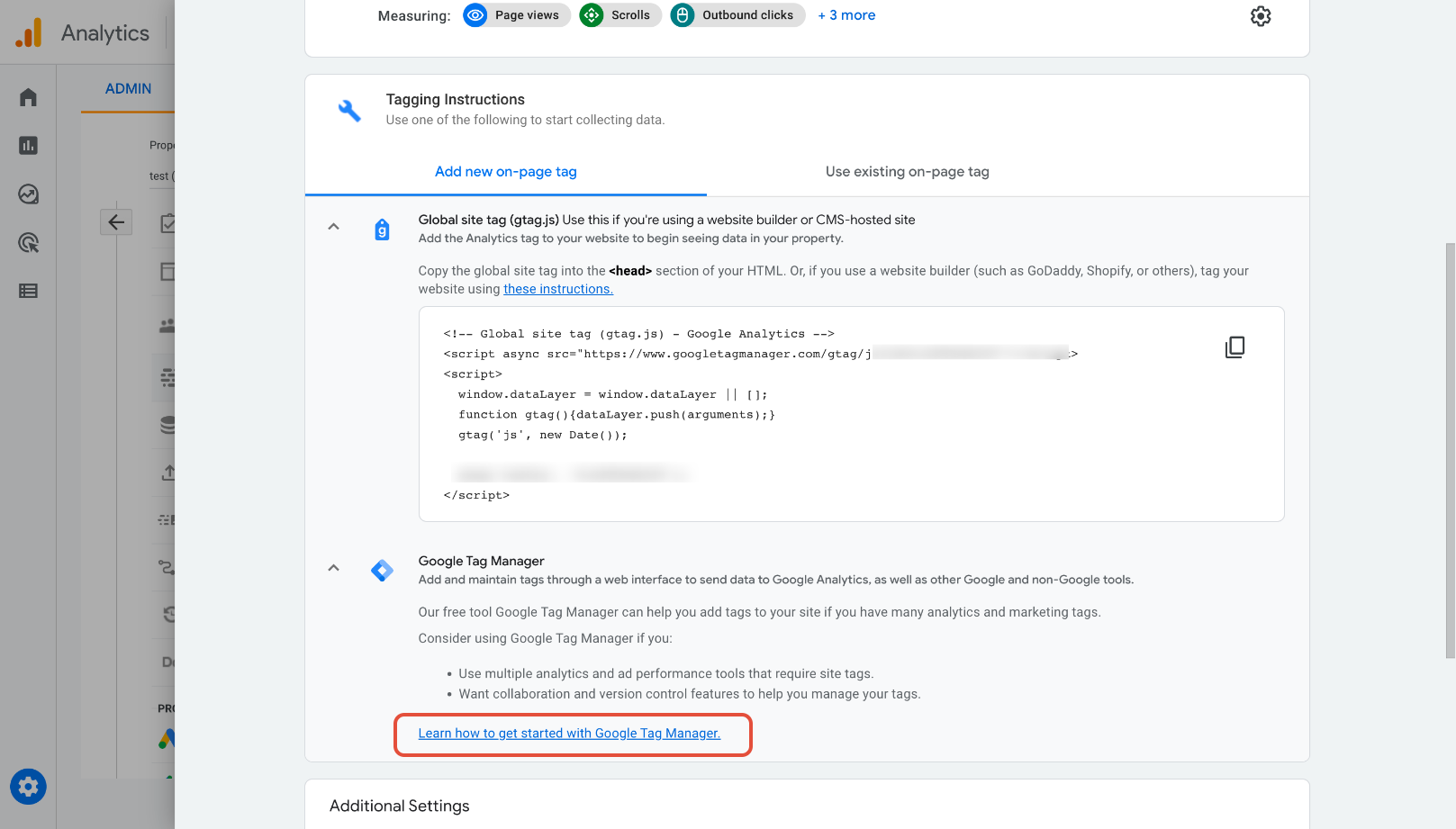
How to add Google Site Tag (gtag.js) to your Funnel/Website <head>
Was this article helpful?
That’s Great!
Thank you for your feedback
Sorry! We couldn't be helpful
Thank you for your feedback
Feedback sent
We appreciate your effort and will try to fix the article