Overview
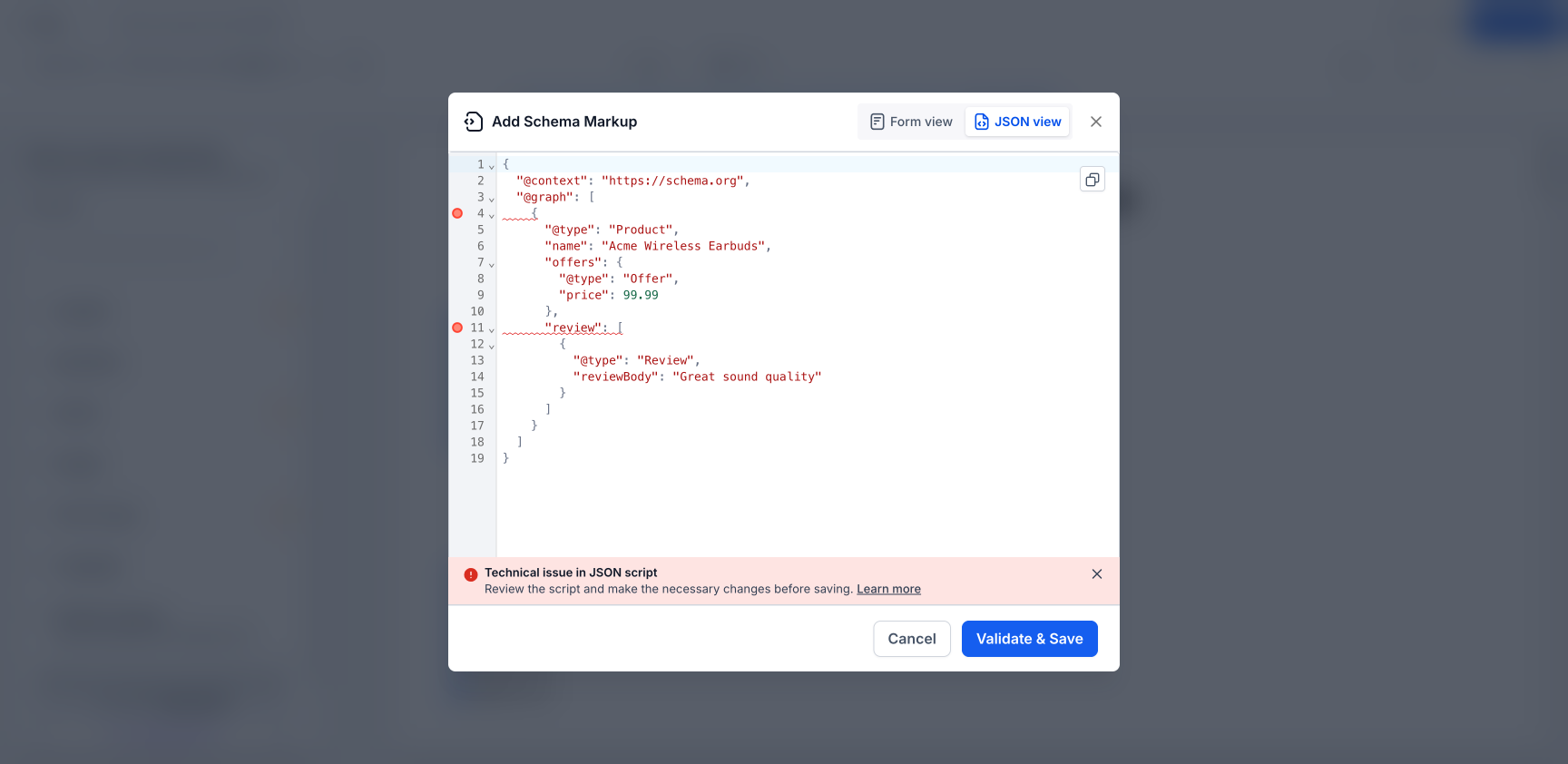
Improved the Schema Markup JSON view in Website & Funnel Builder so validation errors are now shown directly on the exact lines that need fixing.
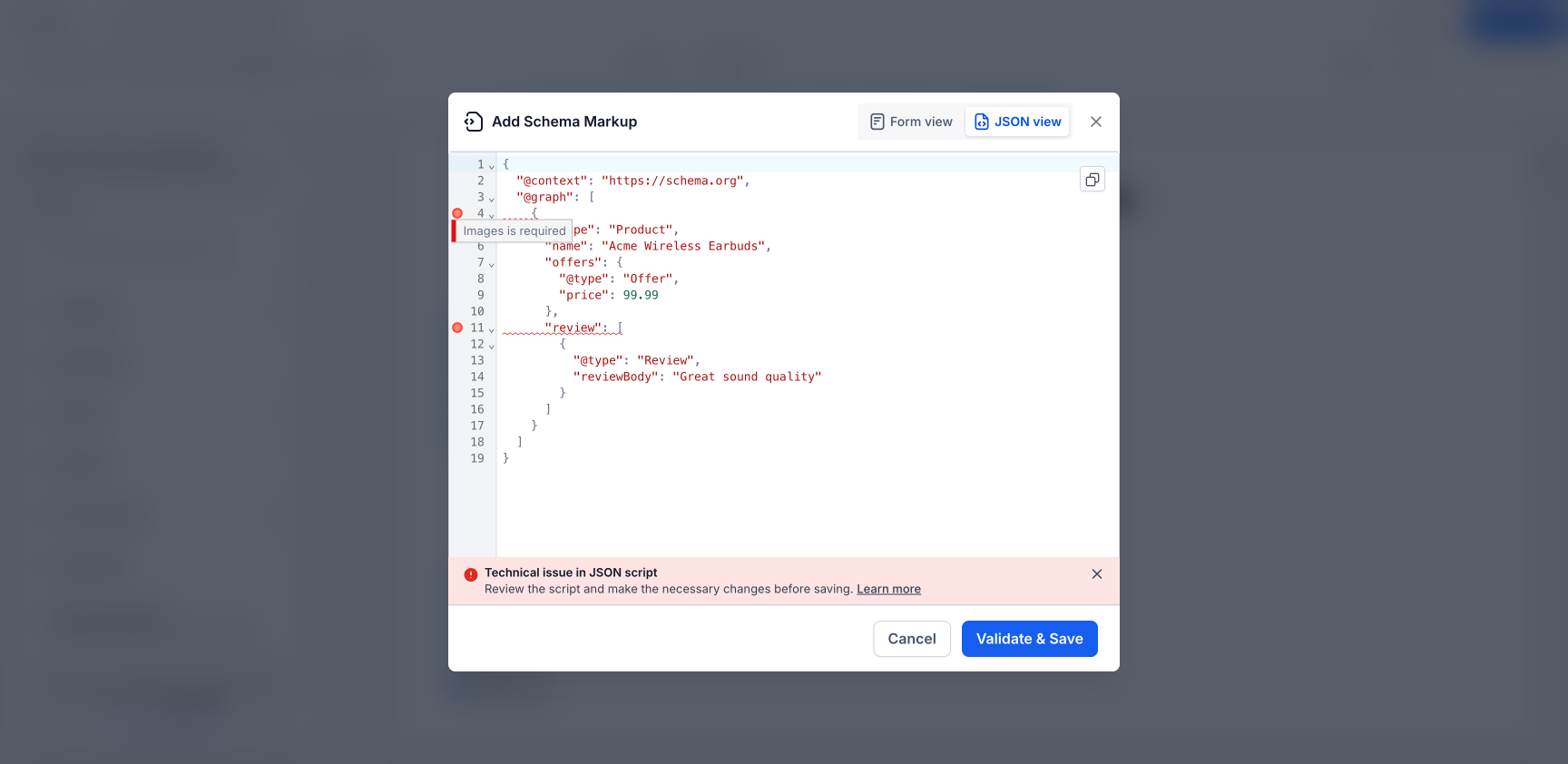
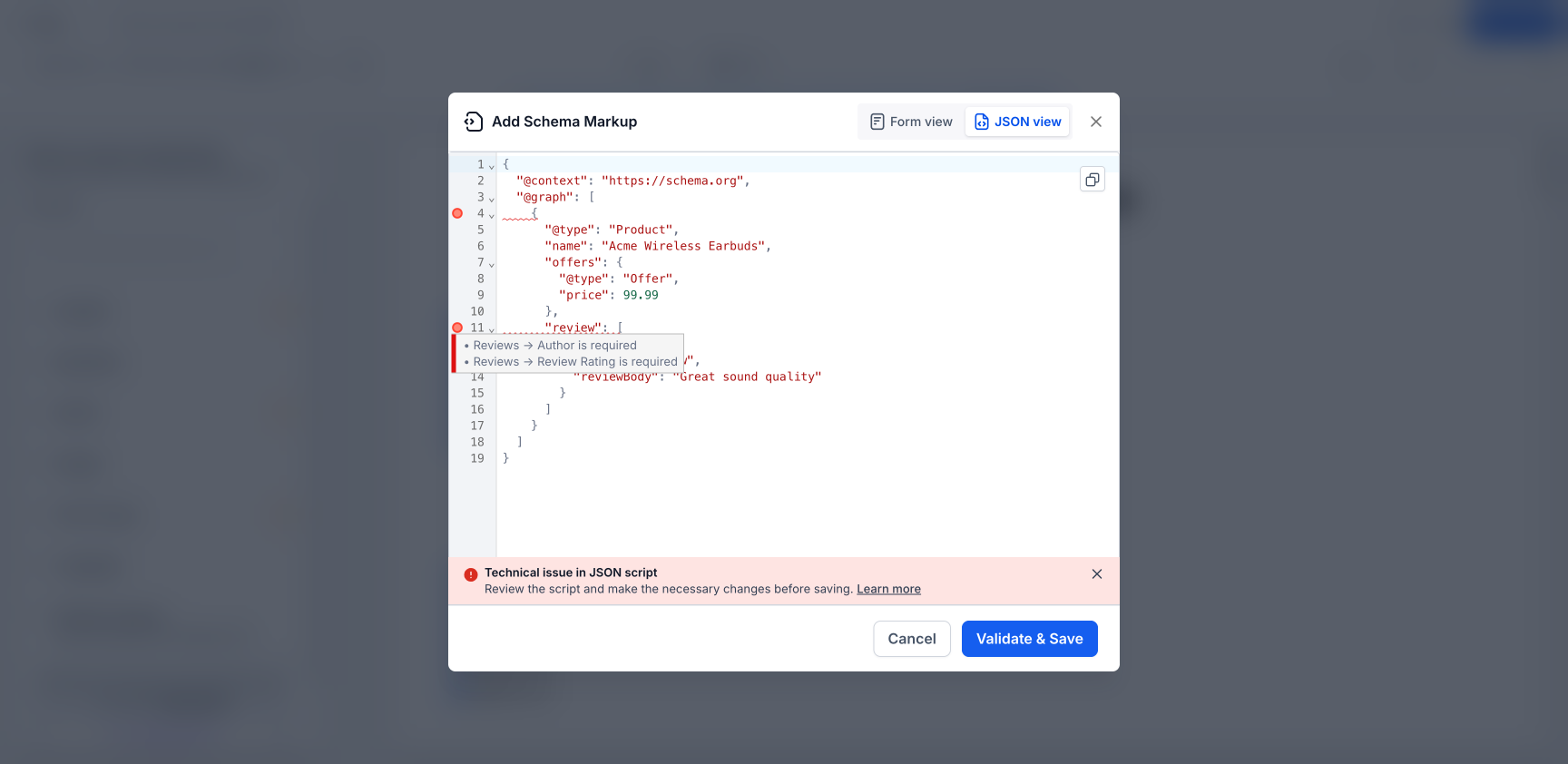
Previously, JSON validation errors appeared as a general alert, which made it hard to figure out where the problem was. Now, each error is marked inline with a tooltip that explains the issue more clearly.
What’s improved
- Validation errors now appear inline next to the exact JSON line causing the issue
- Hovering over an error marker shows a plain-language explanation
- Works for nested fields and more complex schema structures
- Supports multi-schema (@graph) JSON, with errors routed to the correct schema block
- Errors clear one by one as each issue is fixed
How to access
- Go to Website or Funnel Builder
- Open Edit Page
- Navigate to SEO & AI search optimization > Schema Markup
- Open Add/Edit Schema and switch to JSON view
- Click Validate & Save to see inline error markers
Why it matters
- Makes schema errors much easier to find and fix
- Reduces guesswork when editing large or complex JSON-LD scripts
- Helps users save valid schema faster
- Improves the editing experience for advanced schema use cases
Good to know
- Works across Website Builder and Funnel Builder
- Supports all schema types, including Product, Organization, FAQ, LocalBusiness, Article, Recipe, Event, and more
- Fully supports multi-schema (@graph) payloads
Was this article helpful?
That’s Great!
Thank you for your feedback
Sorry! We couldn't be helpful
Thank you for your feedback
Feedback sent
We appreciate your effort and will try to fix the article