What's new?
You can now start workflows when a
user
replies to a conversation. This trigger fires whenever a user (team member) sends a reply to a contact, making it easier to automate internal processes after an agent responds instead of waiting for a customer reply.How it works
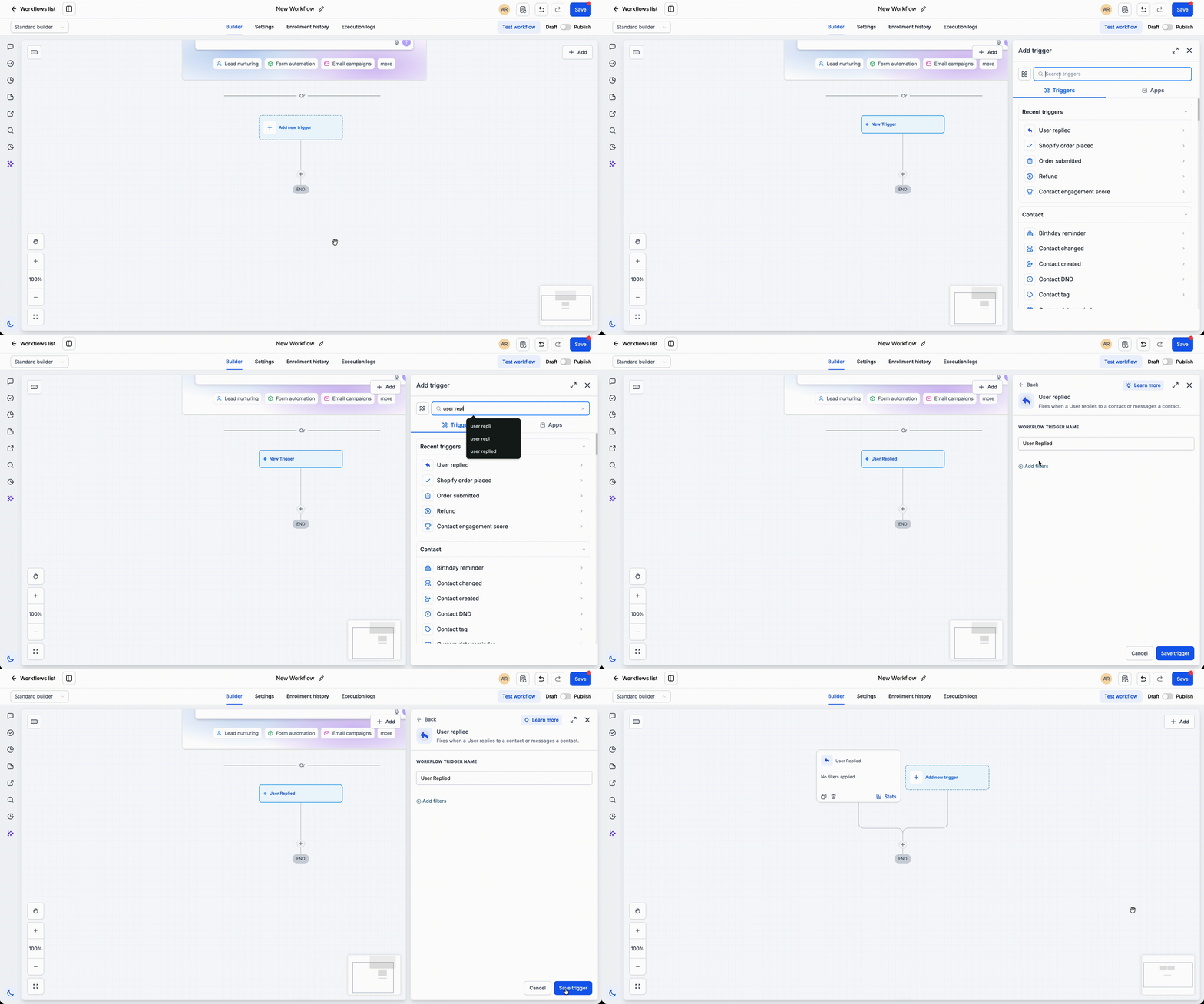
Add the
User Replied
trigger to any workflow and choose the conditions that should start it. Once a user replies to a contact through a supported conversation channel, the workflow runs automatically and can continue with actions such as notifications, tagging, assignments, or follow-up automations.How to use it
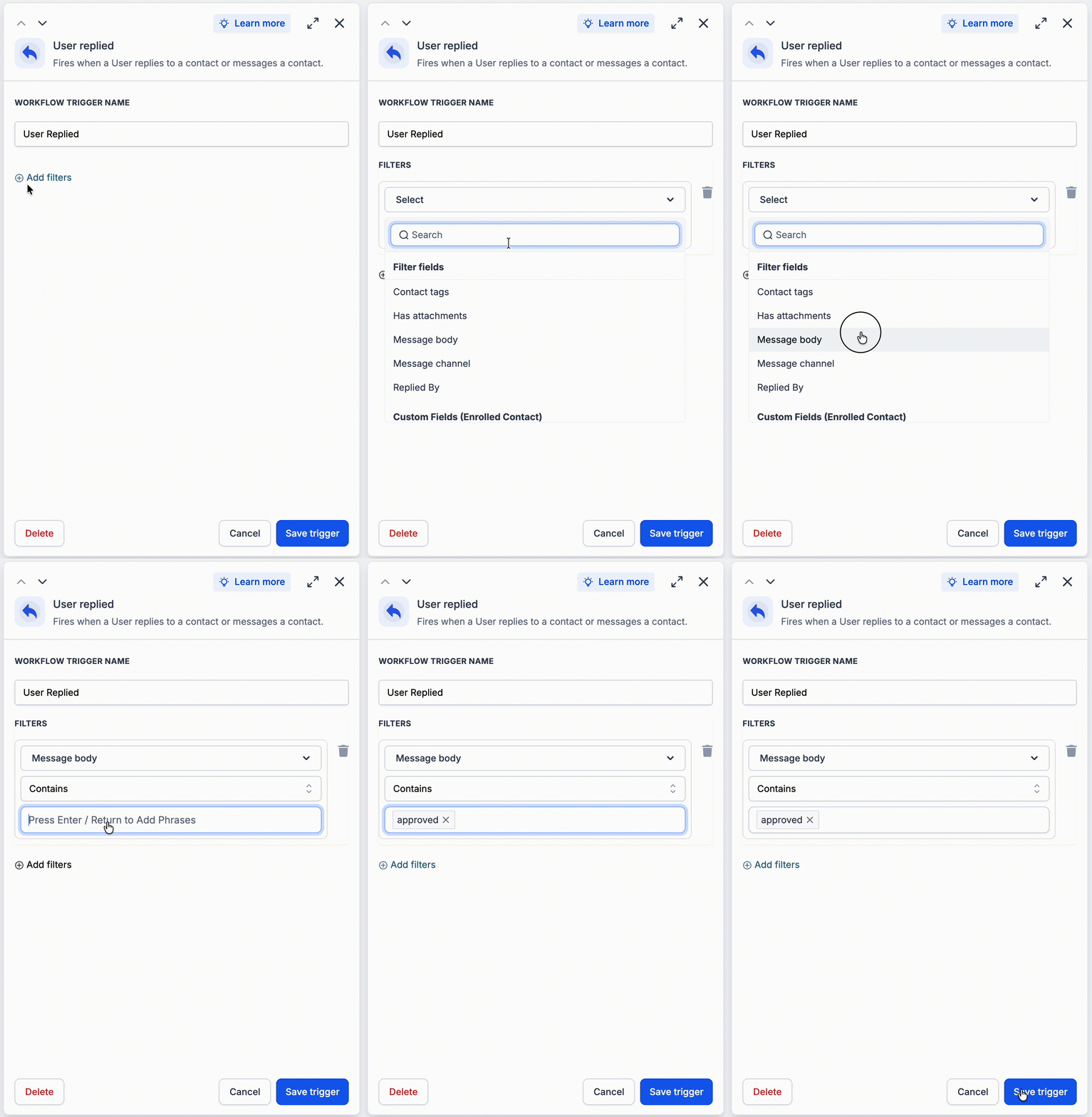
- Open Automations > Workflowsand add theUser Repliedtrigger.
- Configure any trigger filters required for your workflow.
- Publish the workflow to automate actions whenever a user replies to a contact.
Why we built it
Many automations need to react to your team's actions- not just customer activity. The User Replied trigger helps you build workflows that track agent engagement, trigger internal notifications, update records, or kick off the next step immediately after a team member responds.
Simple example
- A sales representative replies to a new lead's SMS. The User Replied trigger automatically updates the opportunity stage to Contacted and notifies the sales manager.
- A support agent replies to a customer's email. The User Replied trigger adds a Support Responded tag and creates a follow-up task to check in after 48 hours.
Additional Notes
- The trigger activates only when a user sends a reply, not when a customer responds.
- Use this trigger for internal workflow automation based on team activity.
Preview
Was this article helpful?
That’s Great!
Thank you for your feedback
Sorry! We couldn't be helpful
Thank you for your feedback
Feedback sent
We appreciate your effort and will try to fix the article