Overview
We've rolled out a new set of enhancements to Contact detail page customization, giving users greater flexibility to personalize layouts, optimize space utilization, and tailor the contact experience to their workflow. These updates make the contact record more adaptable while preserving a clean and efficient user experience.
What's new?
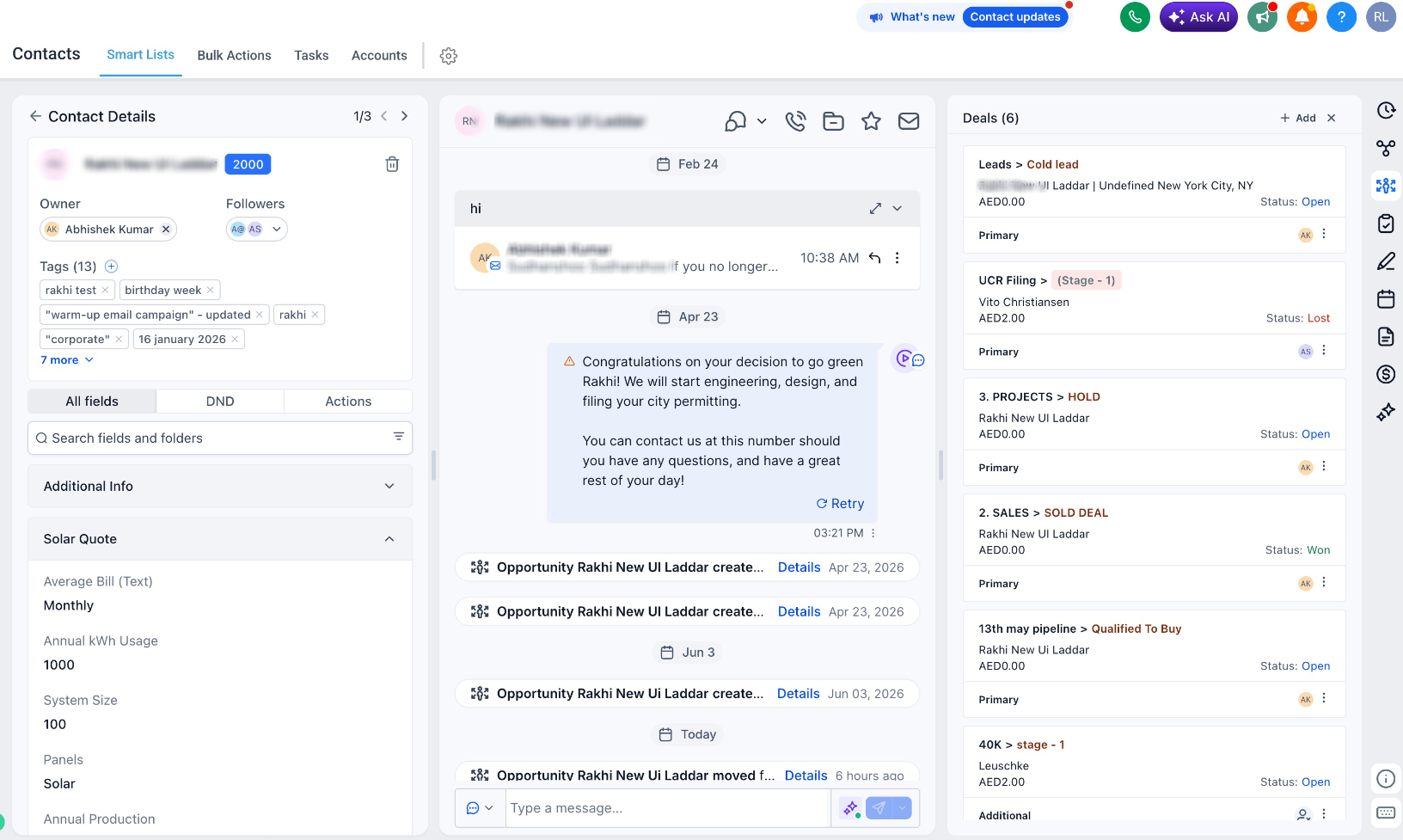
1. Resizable panels
* Panels can now be resized to better fit your workflow.
* The left panel is no longer restricted to a narrow width and can be expanded as needed.
2. Owners & followers decoupled
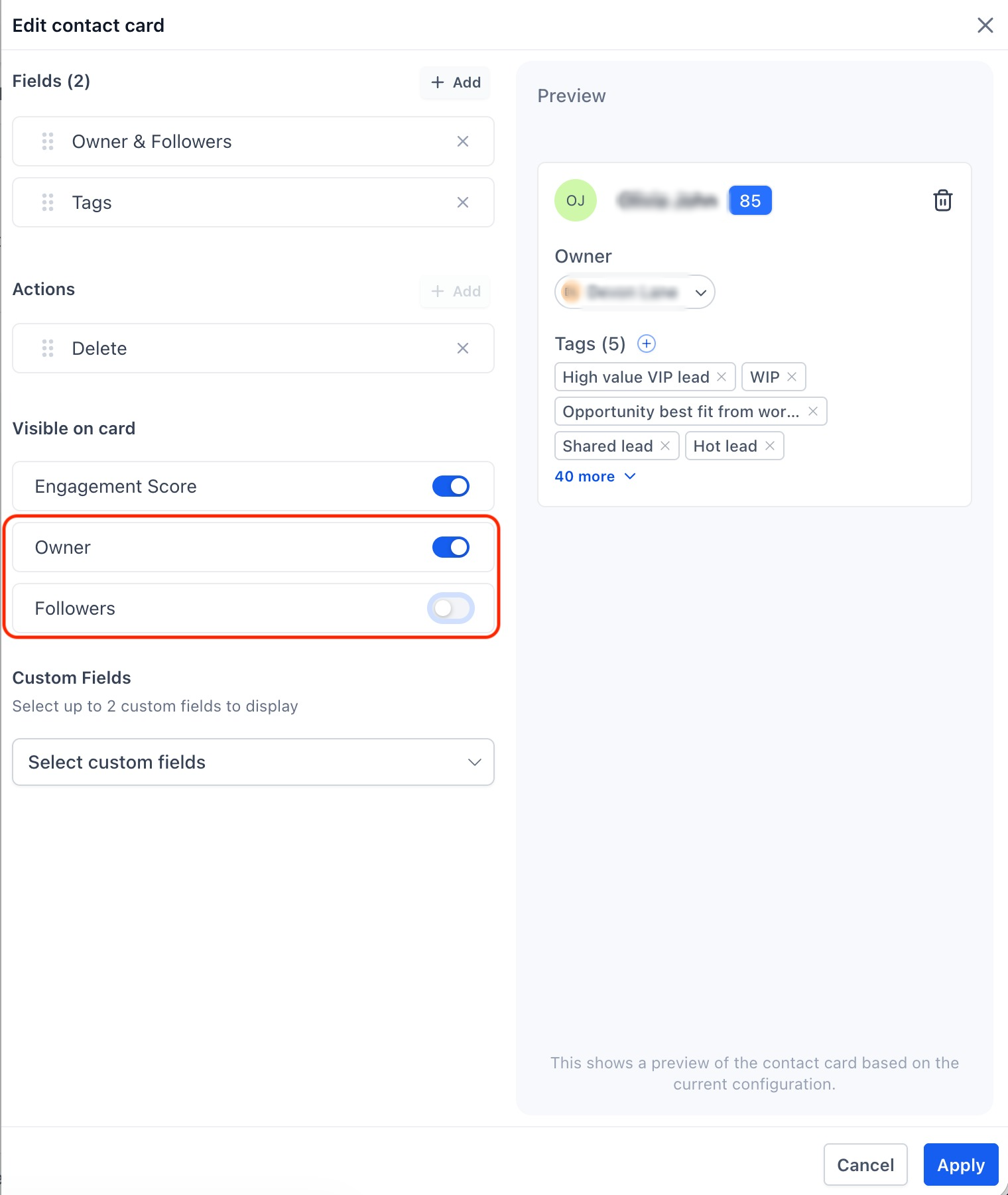
* Owners and Followers can now be managed independently.
* Choose to display only Owners, only Followers, both, or neither on the contact card.
3. Custom fields in contact card
* Add any
two custom fields
directly to the contact card for quick visibility.* These fields are displayed in
read-only mode
.* To edit custom field values, continue using the
All fields
tab.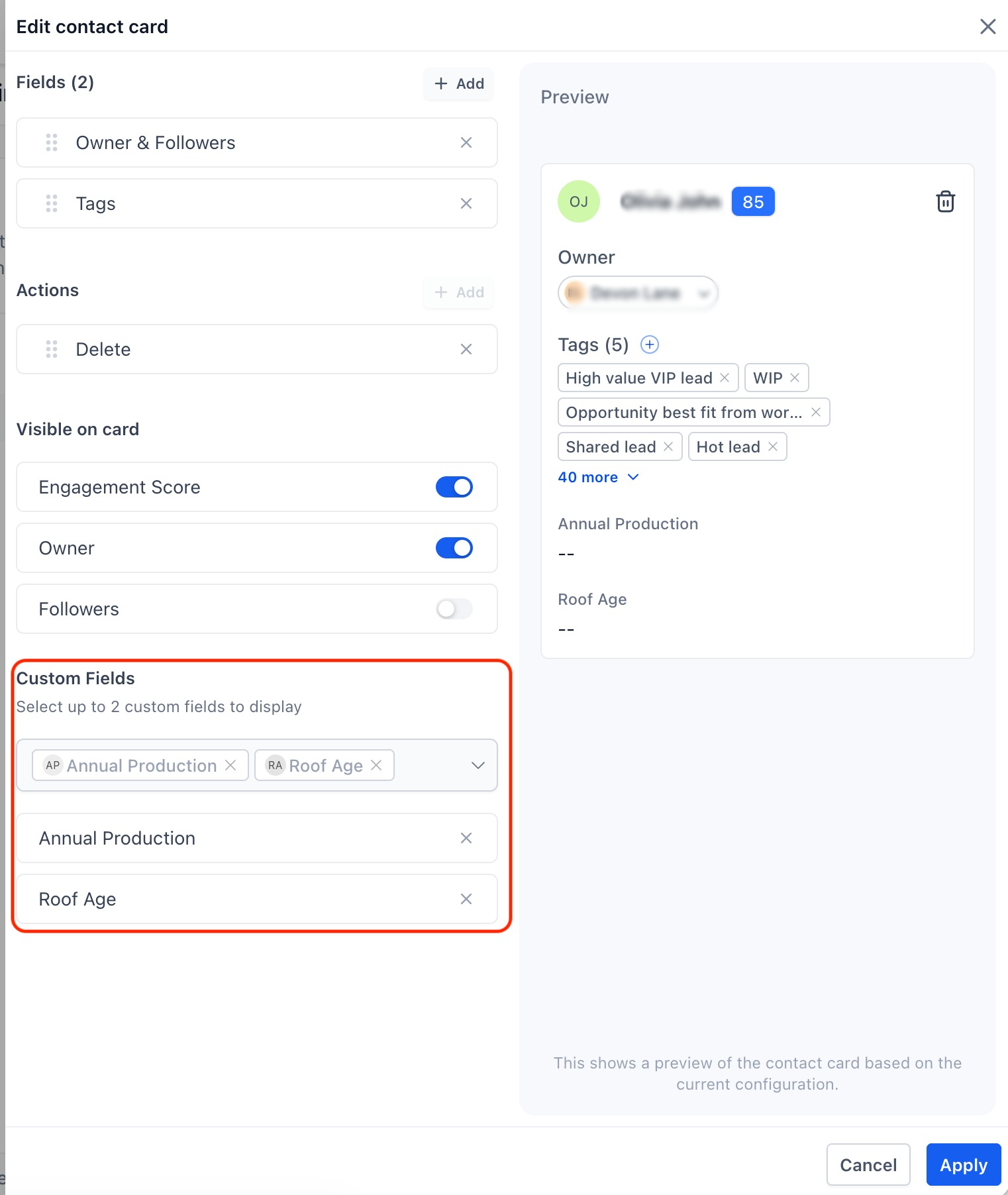
4. Flexible tag placement
* Tags no longer have to occupy space in the contact card.
* You can now choose to display tags either in the
left panel
or the center panel
, depending on your preferred layout.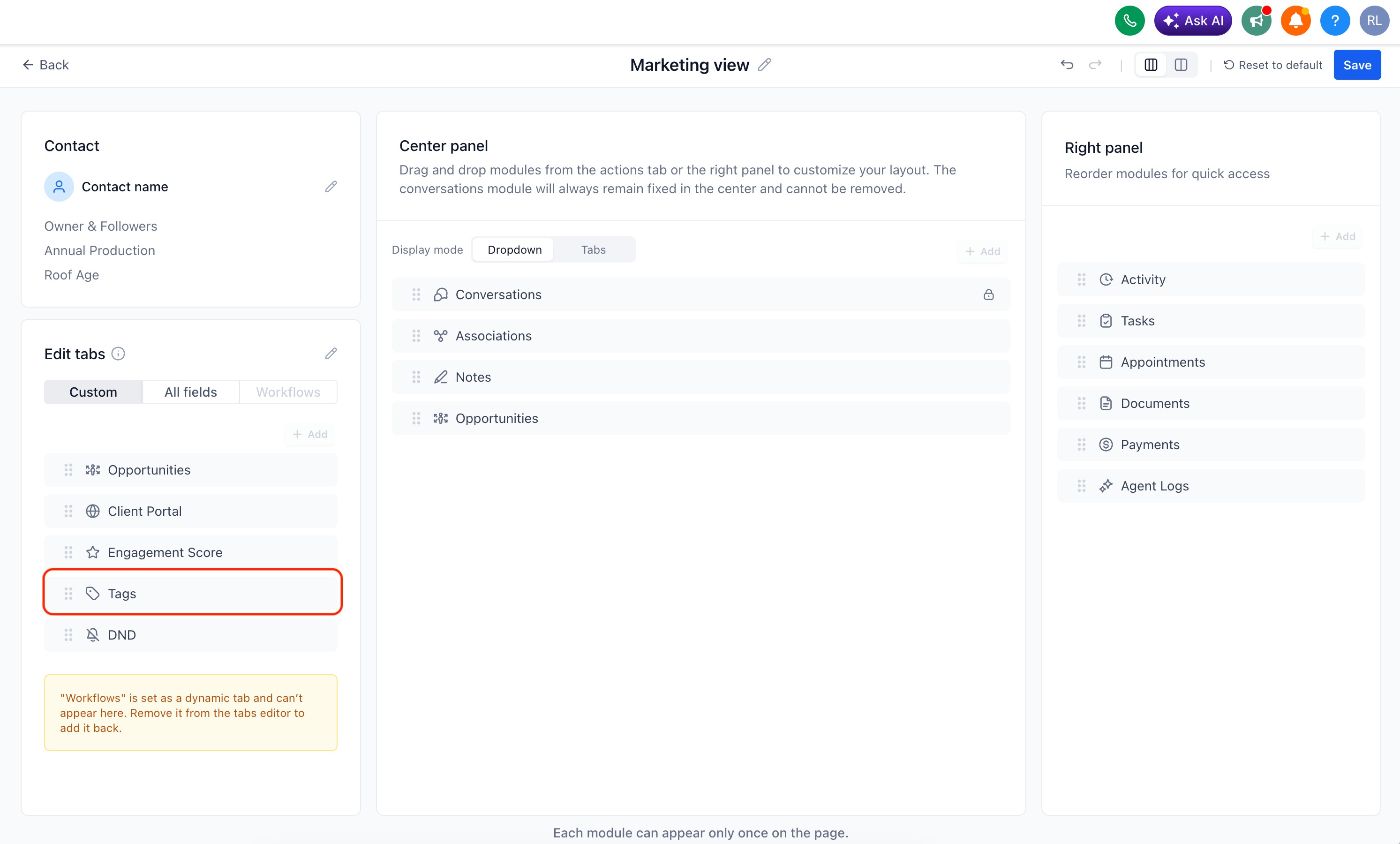
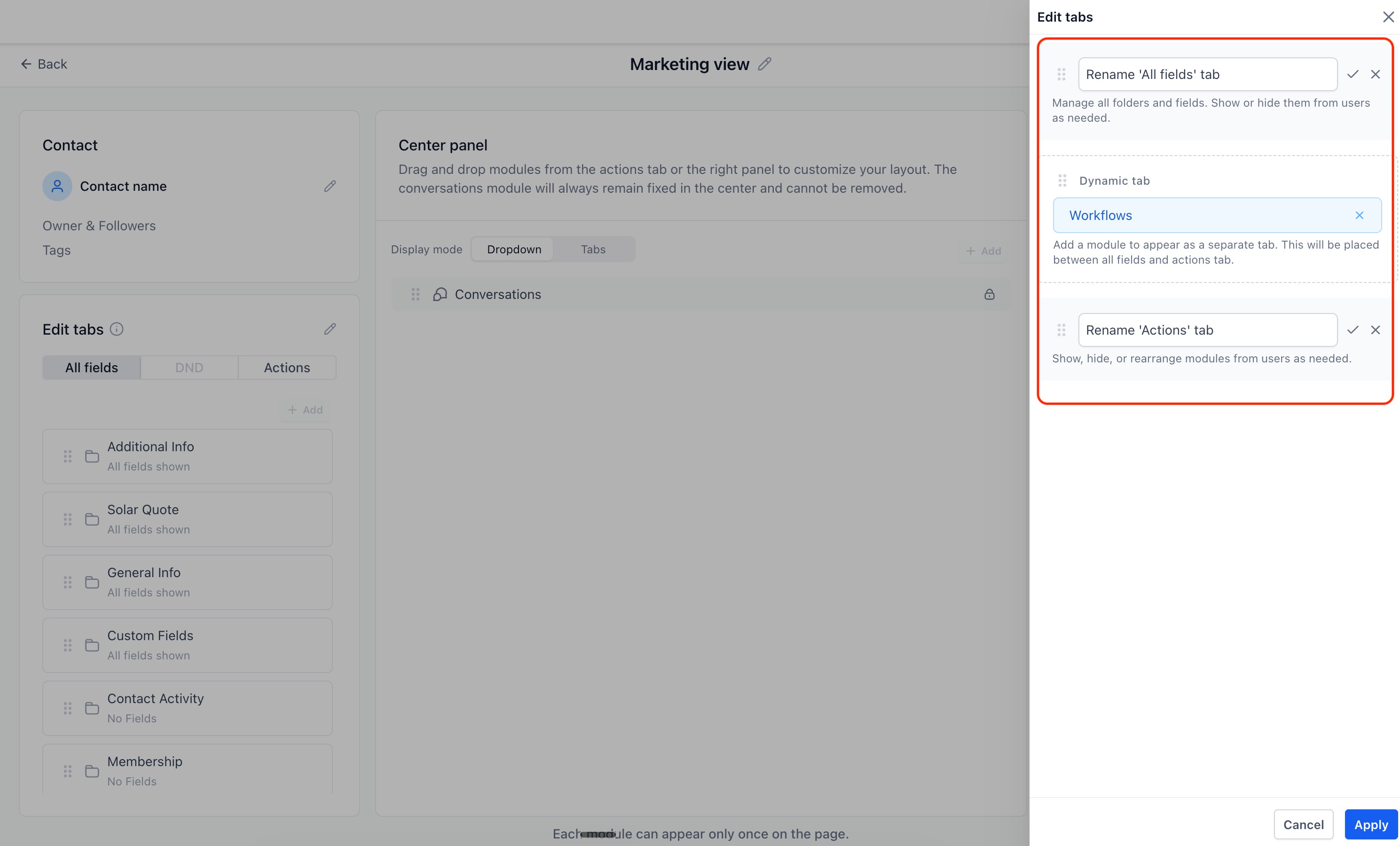
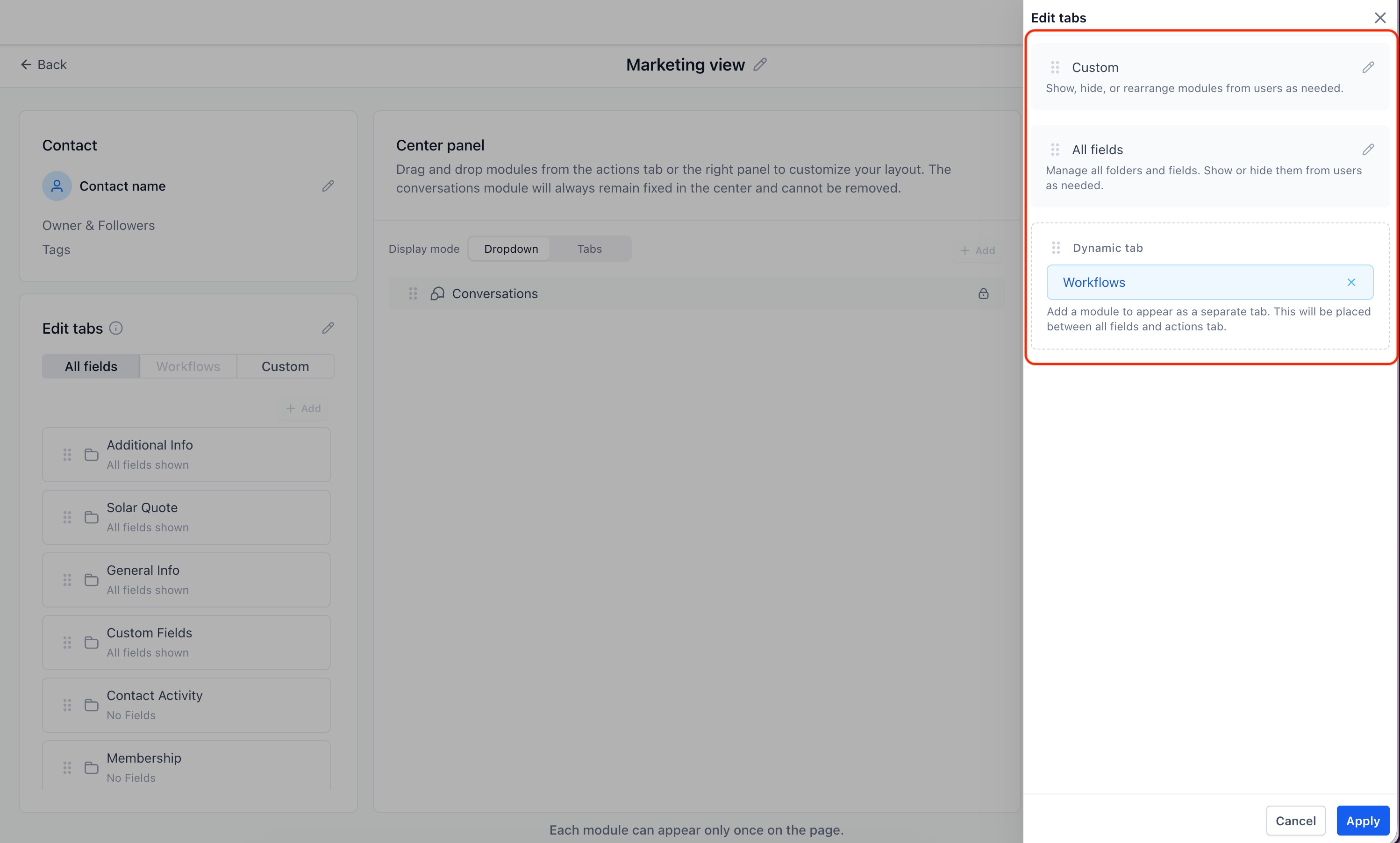
5. Customizable tabs
* The
Actions
and All fields
tabs can now be renamed.* Tabs can also be reordered to better match your team's workflow.
6. Dynamic tabs open by default
* Any module placed within a Dynamic Tab will now be expanded and visible by default when the tab is opened.
What's next?
* We will be allowing the freedom to place a module more than once on the same page. The users can choose to place the module in any of the panels.
* User permissions for adding or editing the customized views.
* On clicking the email icon, platform email composer will open rather than the system default email composer.
Was this article helpful?
That’s Great!
Thank you for your feedback
Sorry! We couldn't be helpful
Thank you for your feedback
Feedback sent
We appreciate your effort and will try to fix the article