What’s New?
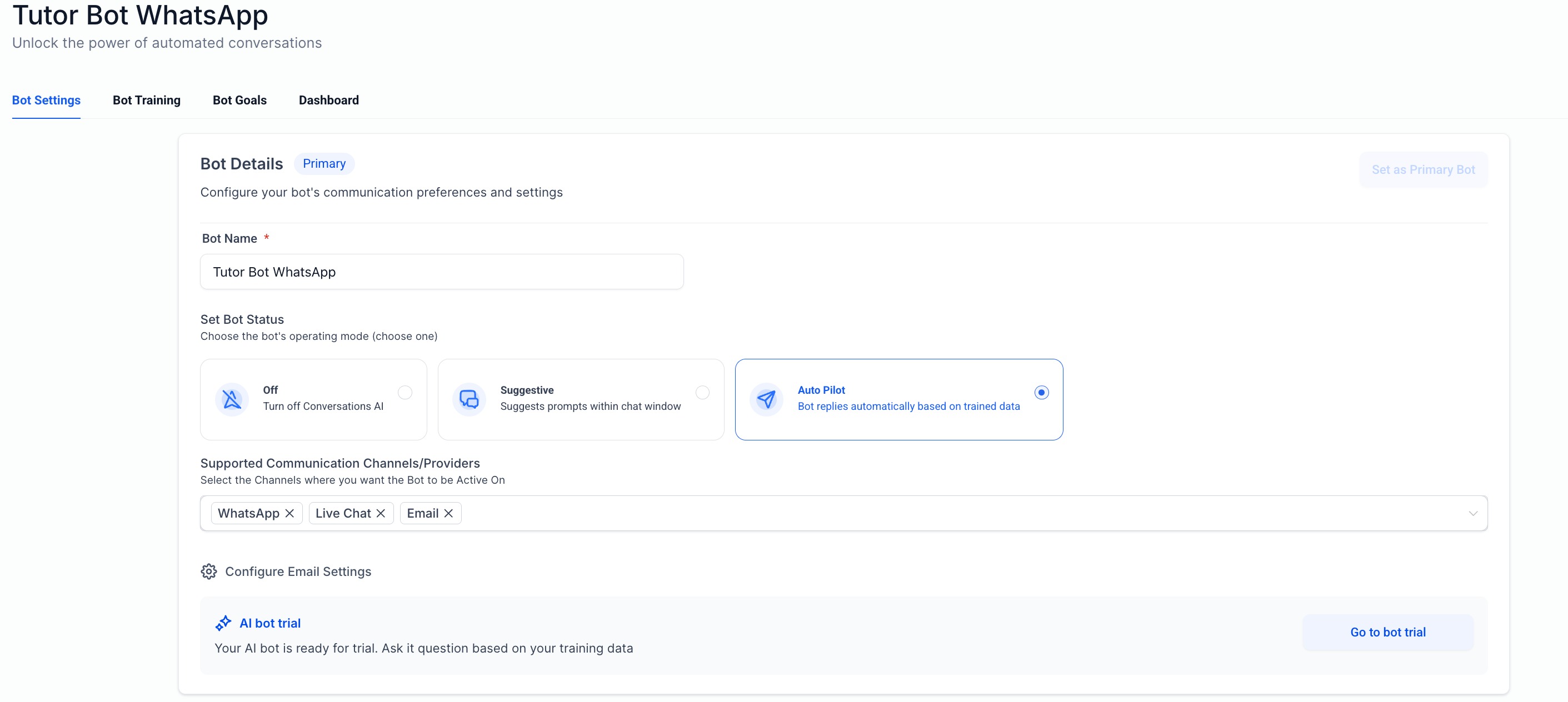
Conversation AI now supports Email as a channel. Businesses can automate responses to incoming emails with the same intelligence and personalization available across chat channels like SMS, Facebook, Instagram, WhatsApp, and Live Chat.
This expands Conversation AI into a core business communication channel and enables a unified automation experience across chat and email.
How It Works
When an inbound email is received, Conversation AI processes and responds automatically based on configured rules and context.
Steps
:- Enable email channel from channel dropdown in conversation ai settings
- Inbound email is received on a connected inbox
- AI reads context including thread history and contact data
- AI generates a response based on prompt and configuration
- Email is sent from the same connected inbox
The system maintains full email integrity including threading, subject lines, and recipients.
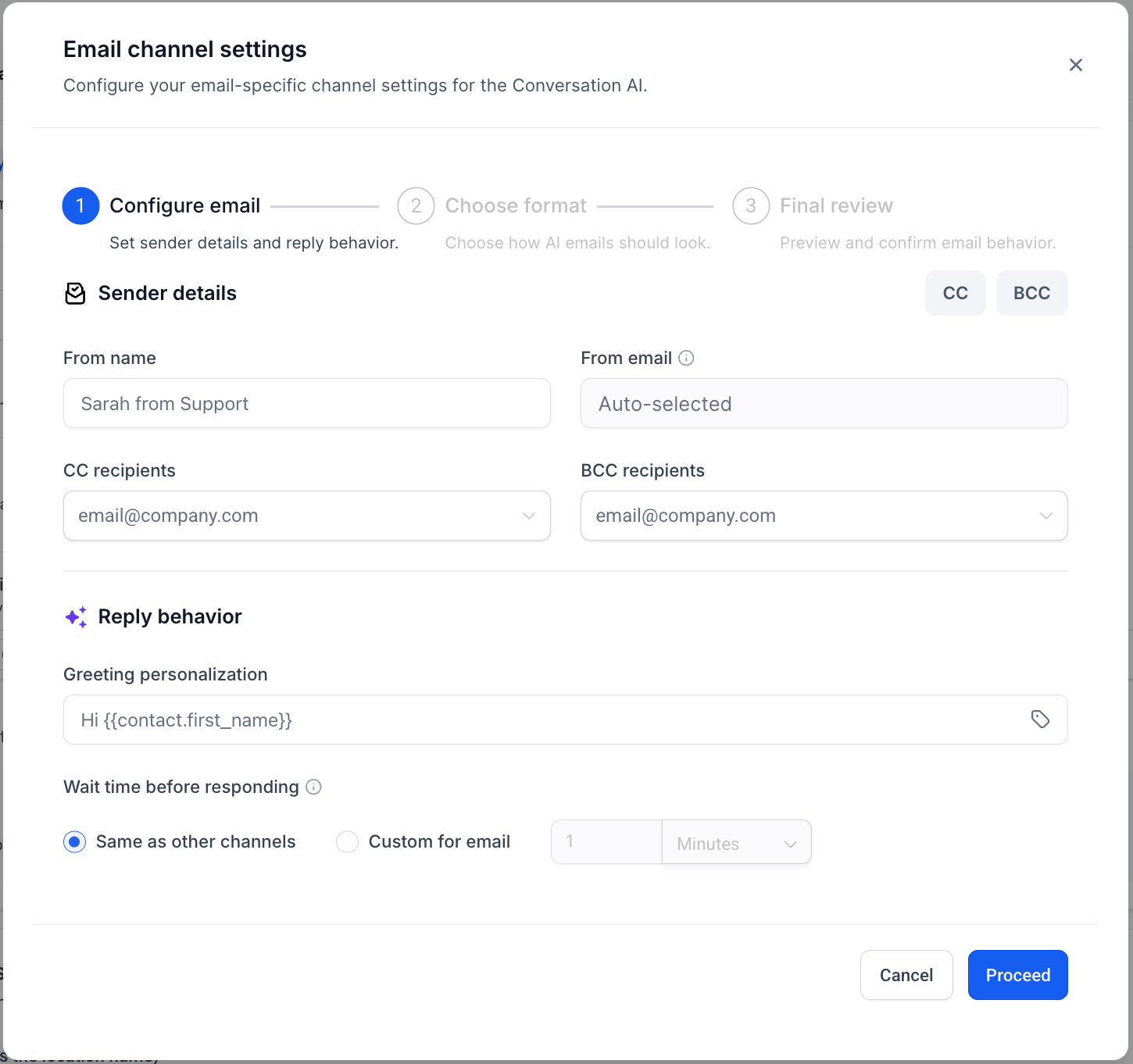
Advanced Email Configuration
A dedicated configuration layer is available for email-specific formatting and design.
Where to Configure
Conversation AI → Channels → Email → Advanced Settings
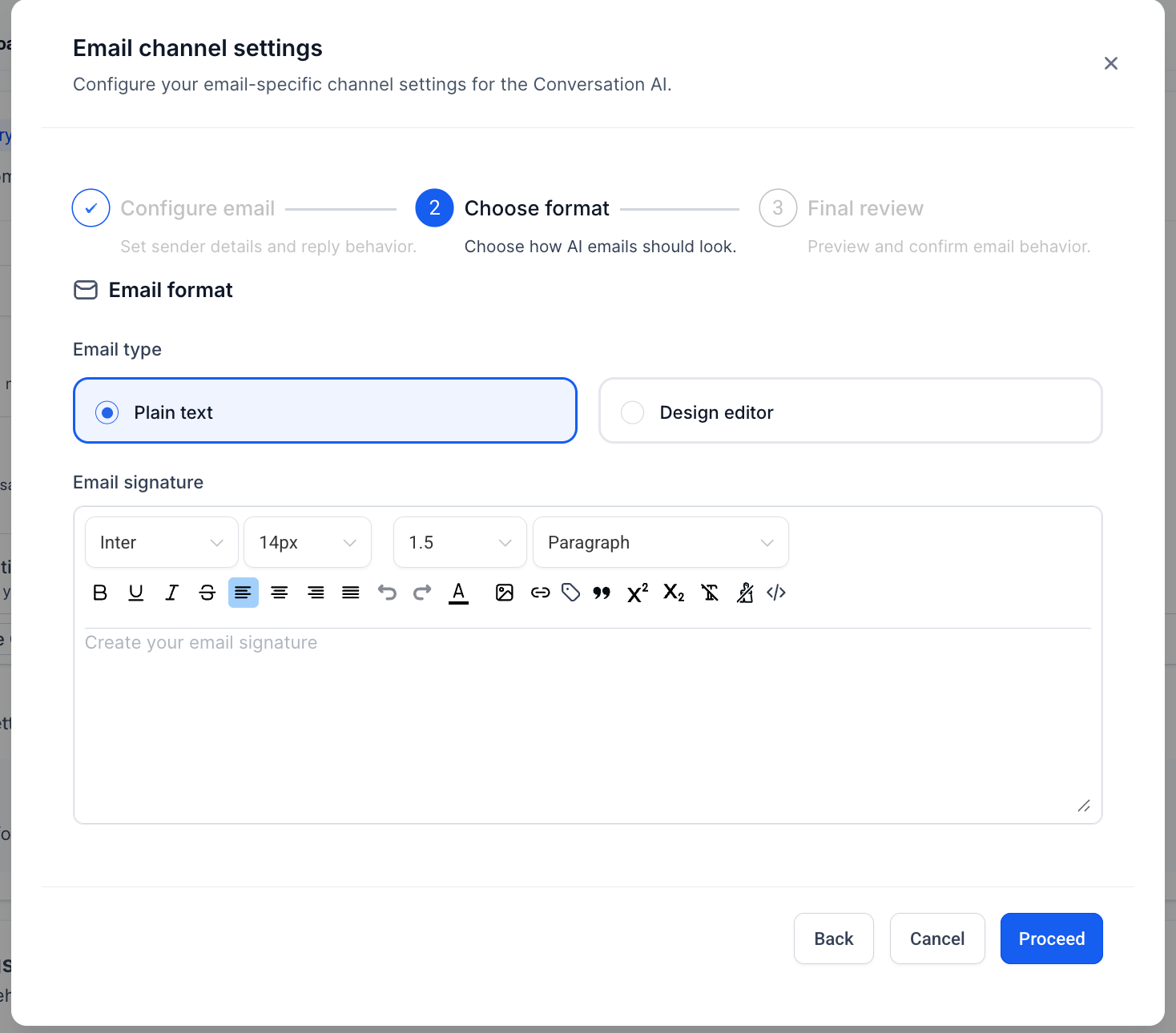
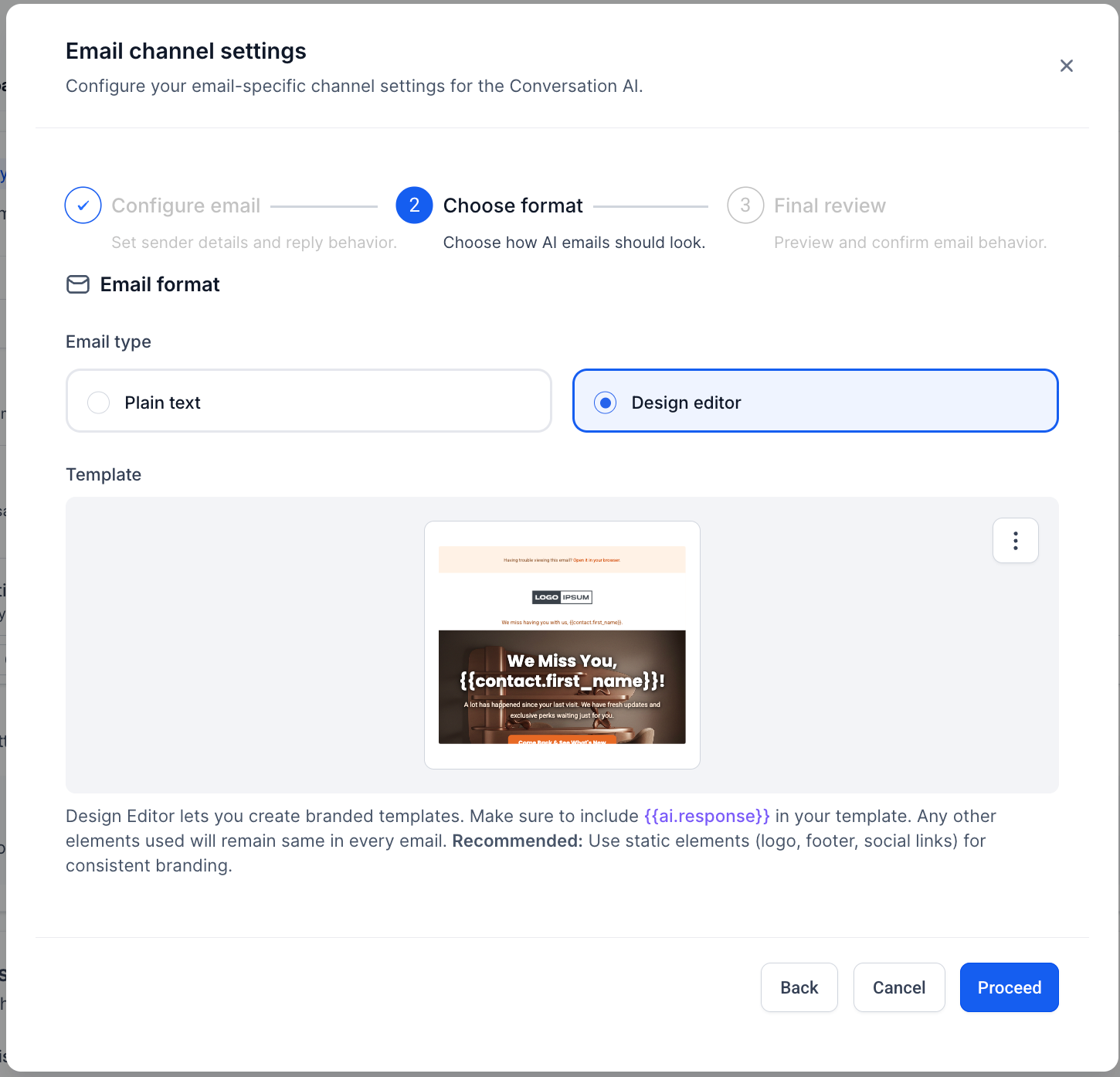
Response Format Options
- Plain text responses for minimal formatting and better deliverability
- Design Editor (Template-based Responses) : Create custom email templates where layout and styling are fully controlled
In this setup:
- Conversation AI only generates the response content
- The Design Editor controls layout, styling, and structure
Important:
You must include the variable {{ai.response}} in your template.
This is where Conversation AI injects the generated response.
Personalization Options
- Salutation : Examples - Hi {{contact.first_name} Hello {{contact.full_name} , Hi there
- Sign-off : Examples: Regards , Thanks , Best
- Signature Block : default from business
User name , Business name , Optional contact details such as phone or website
- Default CC and BCC
Define default recipients for all AI responses
Why We Built This
A large portion of business communication still happens over email, but automation has been limited to chat channels.
With this update, businesses can:
- Respond faster to inbound emails
- Maintain consistent communication across channels
- Reduce manual effort in support and lead handling
This drives better retention and activation within Conversation AI while expanding its reach to a critical communication channel.
Was this article helpful?
That’s Great!
Thank you for your feedback
Sorry! We couldn't be helpful
Thank you for your feedback
Feedback sent
We appreciate your effort and will try to fix the article