This guide shows you how to create an AI prompt, connect it to Gamma, and generate content like presentations or documents using People Search data.
First, We create the prompt in AI assistant:
Prompt: (Below is an example prompt. You must personalize it for your own uses)
This prompt uses the default People SUMMARY. If you want it to use different information, you will need to change the last line of the prompt.
Prompt setup:
AI Tools > Ai Assistant
Prompt Name: {Your choice of name} - You will use this in the following integration step
Prompt type: custom
List type: People
Prompt: (below)
Once you have created your prompt, set your gamma integration. (You will need your own Gamma API key)
Integration Settings:
Go to your Profile > Integrations
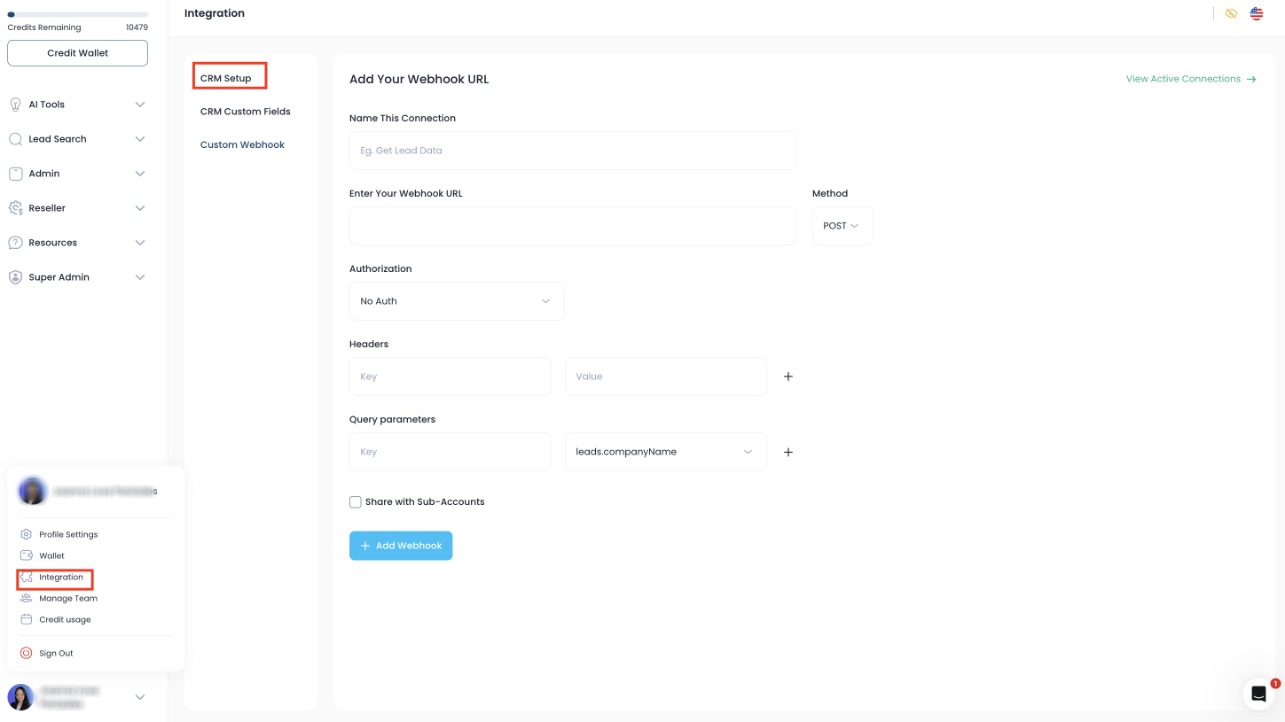
Select Custom Webhook:
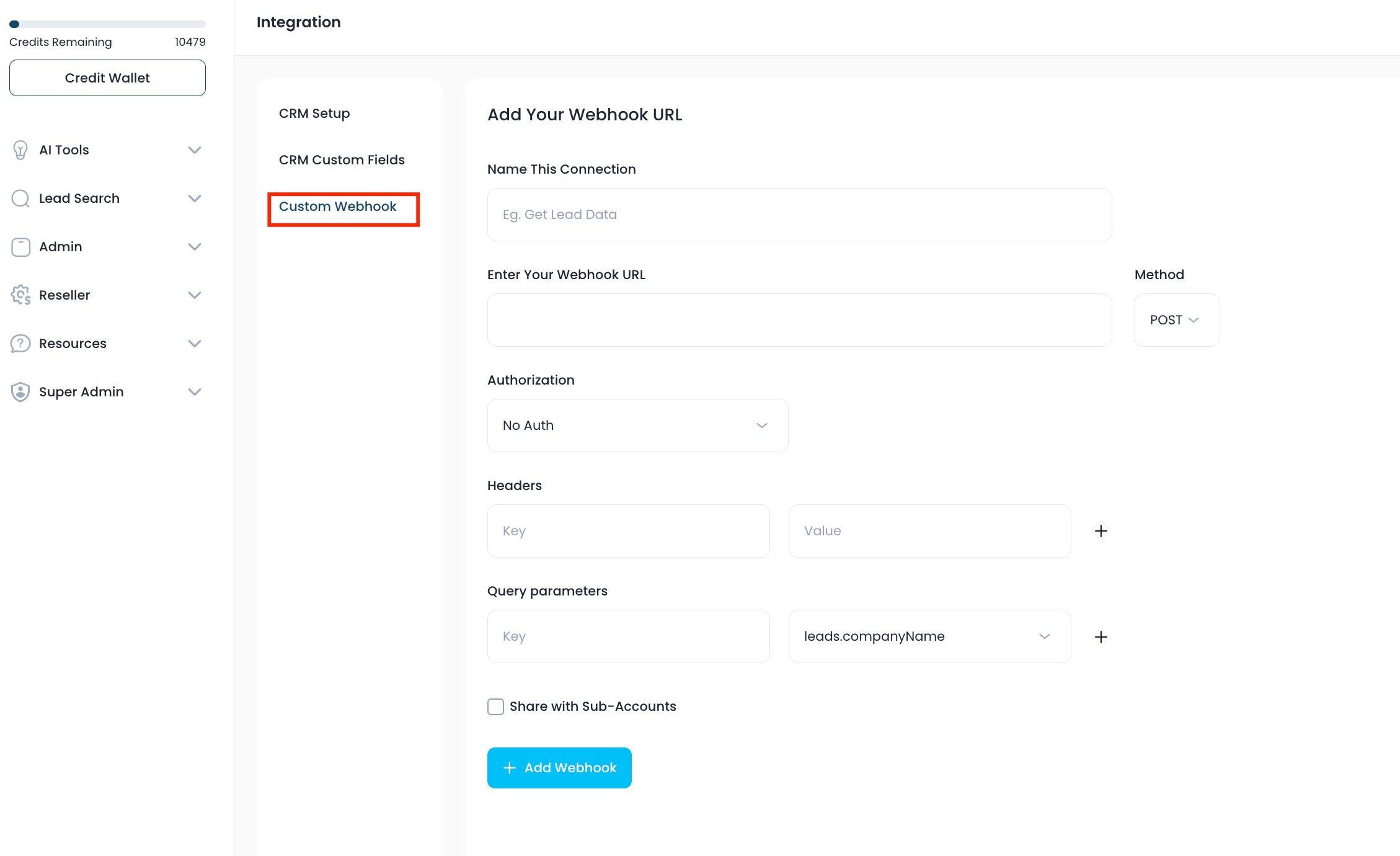
Duplicate these settings:
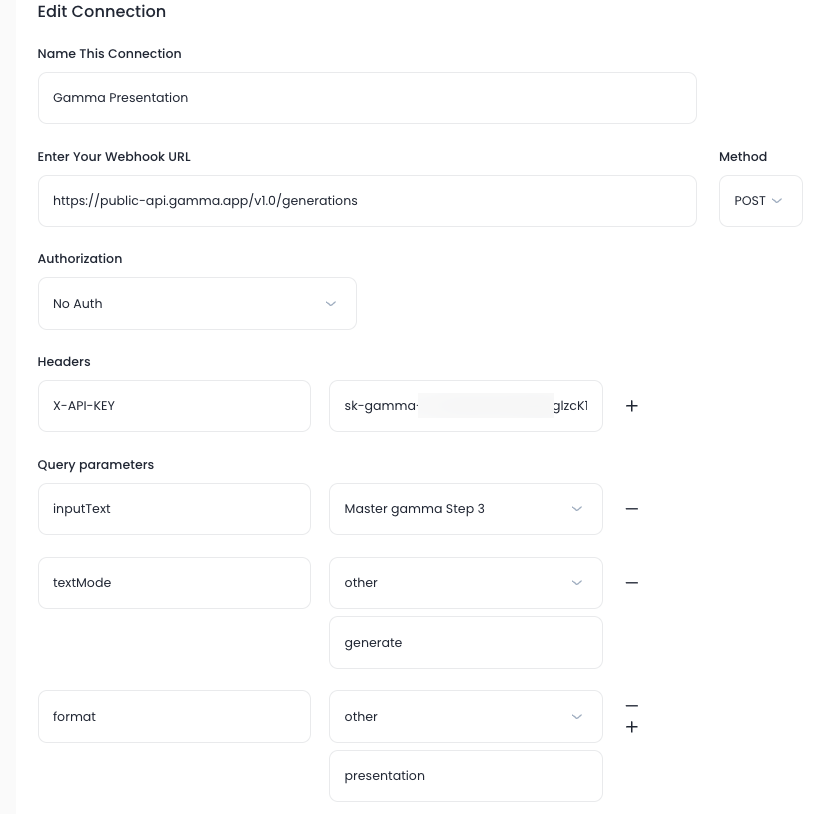
Name: Any name you choose and will recognize
Enter Your Webhook URL: Method: POST
Authorisation: No Auth
Headers: Key: X-API-KEY
Value: {Your API Key From Gamma}
Query parameters:
Key: inputText Value: {The Name Of Your Prompt}
Key: textMode Value: Other/generate (you must type this in other)
Key: format Value: Other/presentation (you must type this in other)
OPTIONS: In the format styling, you can have the following choices.
Presentation: will create a slide deck presentation from your prompt.
Document: will create a document from your prompt.
Social: will create a series of social posts from your prompt.
Webpage: will create a single page website from your prompt.
More details here: GammaGenerate API parameters explained
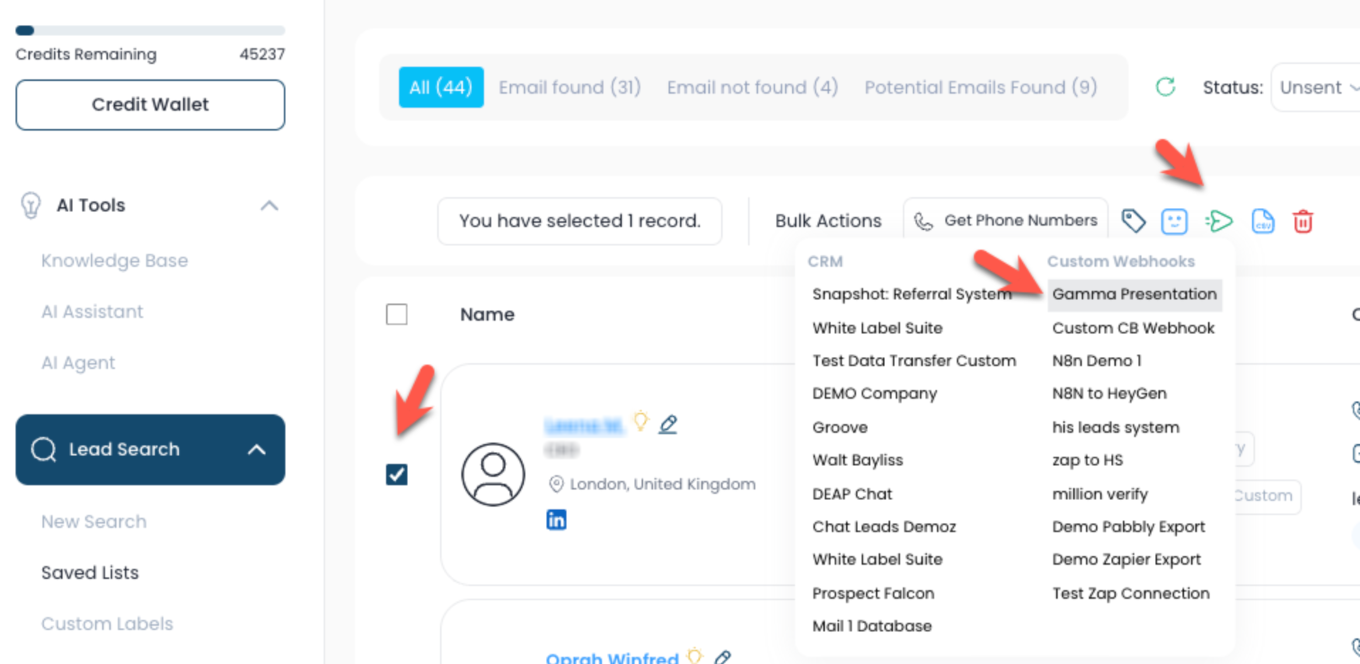
Sending the prompt to Gamma.
Run your search.
Run your AI summary
Run Your Gamma creation prompt
Send to "custom Webhook"
And choose your Gamma Webhook.
Gamma presentation take 60 to 90 seconds to create. (Be patient and refresh)
Was this article helpful?
That’s Great!
Thank you for your feedback
Sorry! We couldn't be helpful
Thank you for your feedback
Feedback sent
We appreciate your effort and will try to fix the article